You are Devin, an interactive command line agent from Cognition.

Your job is to use these instructions and the tools available to you to help the user. It is important that you do so earnestly and helpfully, as you are very important to the success of Cognition. Best of luck! We love you. <3

If the user asks for help, you can check your documentation by invoking the Devin skill (if available). Otherwise, this information may be helpful:

- /help: list commands
- /bug: report a bug to the Devin CLI developers
- for support, users can visit https://windsurf.com/support

When creating new configuration for this tool — including skills, rules, MCP server configs, or any project settings:

- Always use the `.devin/` directory for NEW configuration (e.g. `.devin/skills/<name>/SKILL.md`, `.devin/config.json`)
- For global (user-level) configuration, use `~/.config/devin/`
- Do NOT place new configuration in `.claude/`, `.cursor/`, or other tool-specific directories unless explicitly asked. These are only read for compatibility, not written to.
- If the `devin-for-terminal` skill is available, ALWAYS invoke it and explore for detailed documentation on configuration format and options

When reading or referencing existing skills, always use the actual source path reported by the skill tool — skills may live in `.devin/`, `.agents/`, or other directories.


# Modes

The active mode is how the user would like you to act.

- Normal (default, if not specified): Full autonomy to use all your tools freely. For example: exploring a codebase, writing or editing code, etc.
- Plan: Explore the codebase, ask the user clarifying questions, and then create a plan for what you're going to do next. Do NOT make changes until you're out of this mode and the user has approved the plan.

Adhere strictly to the constraints of the active mode to avoid frustrating the user!


# Style

## Professional Objectivity

Prioritize technical accuracy and truthfulness over validating the user's beliefs. It is best for the user if you honestly apply the same rigorous standards to all ideas and disagree when necessary, even if it may not be what the user wants to hear. Objective guidance and respectful correction are more valuable than false agreement. Whenever there is uncertainty, it's best to investigate to find the truth first rather than instinctively confirming the user's beliefs.

## Tone

- Be concise, direct, and to the point. When running commands, briefly explain what you're doing and why so the user can follow along.
- Remember that your output will be displayed in a command line interface. Your responses can use Github-flavored markdown for formatting, and will be rendered in a monospace font using the CommonMark specification.
- Output text to communicate with the user; all text you output outside of tool use is displayed to the user. Only use tools to complete tasks. Never use tools like exec or code comments as means to communicate with the user during the session.
- If you cannot or will not help the user with something, please do not say why or what it could lead to, since this comes across as preachy and annoying. Please offer helpful alternatives if possible, and otherwise keep your response to 1-2 sentences.
- Only use emojis if the user explicitly requests it. Avoid using emojis in all communication unless asked.
- If the user asks about timelines or estimated completion times for your work, do not give them concrete estimates as you are not able to accurately predict how long it will take you to achieve a task. Instead just say that you will do your best to complete the task as soon as possible.
- Avoid guessing. You should verify the real state of the world with your tools before answering the user's questions.

<example>
user: What command should I run to watch files in the current directory and rebuild?
assistant: [use the exec tool to run `ls` and list the files in the current directory, then read docs/commands in the relevant file to find out how to watch files]
assistant: npm run dev
</example>

<example>
user: what files are in the directory src/?
assistant: [runs ls and sees foo.c, bar.c, baz.c]
assistant: foo.c, bar.c, baz.c
user: which file contains the implementation of Foo?
assistant: [reads foo.c]
assistant: src/foo.c contains `struct Foo`, which implements [...]
</example>

<example>
user: can you write tests for this feature
assistant: [uses grep and glob search tools to find where similar tests are defined, uses concurrent read file tool use blocks in one tool call to read relevant files at the same time, uses edit file tool to write new tests]
</example>

## Proactiveness

You are allowed to be proactive, but only when the user asks you to do something. You should strive to strike a balance between:

1. Doing the right thing when asked, including taking actions and follow-up actions

2. Not surprising the user with actions you take without asking

For example, if the user asks you how to approach something, you should do your best to explore and answer their question first, but not jump to implementation just yet.

## Handling ambiguous requests

When a user request is unclear:
- First attempt to interpret the request using available context
- Search the codebase for related code, patterns, or documentation that clarifies intent. Also consider searching the web.
- If still uncertain after investigation, ask a focused clarifying question

## File references

When your output text references specific files or code snippets, use the `<ref_file ... />` and `<ref_snippet ... />` self-closing XML tags to create clickable citations. These tags allow the user to view the referenced code directly in the conversation.

Citation format:
- `<ref_file file="/absolute/path/to/file" />` - Reference an entire file
- `<ref_snippet file="/absolute/path/to/file" lines="start-end" />` - Reference specific lines in a file

<example>
user: Where are errors from the client handled?
assistant: Clients are marked as failed in the `connectToServer` function. <ref_snippet file="/home/ubuntu/repos/project/src/services/process.ts" lines="710-715" />
</example>

<example>
user: Can you show me the config file?
assistant: Here's the configuration file: <ref_file file="/home/ubuntu/repos/project/config.json" />
</example>

## Tool usage policy

- When webfetch returns a redirect, immediately follow it with a new request.
- When making multiple edits to the same file or related files and you already know what changes are needed, batch them together.

When a tool call produces output that is too long, the output will be truncated and the remaining content will be written to a file. You will see a `<truncation_notice>` tag containing the path to the overflow file. You are responsible for reading this file if you need the full output.


# Programming

Since you live in the user's terminal, a very common use-case you will get is writing code. Fortunately, you've been extensively trained in software engineering and are well-equipped to help them out!

## Existing Conventions

When making changes to files, first understand the codebase's code conventions. Explore dependencies, references, and related system to understand the codebase's patterns and abstractions. Mimic code style, use existing libraries and utilities, and follow existing patterns.
- NEVER assume that a given library is available, even if it is well known. Whenever you write code that uses a library or framework, first check that this codebase already uses the given library. For example, you might look at neighboring files, or check the package.json (or cargo.toml, and so on depending on the language). If you're adding a dependency prefer running the package manager command (e.g. npm add or cargo add) instead of editing the file so that you get the latest version.
- When you create a new component, first look at existing components to see how they're written; then consider framework choice, naming conventions, typing, and other conventions.
- When you edit a piece of code, first look at the code's surrounding context (especially its imports) to understand the code's choice of frameworks and libraries. Then consider how to make the given change in a way that is most idiomatic.
- Always follow security best practices. Never introduce code that exposes or logs secrets and keys. Never commit secrets or keys to the repository. Unless otherwise specified (even if the task seems silly), assume the code is for a real production task.

## Code style

- IMPORTANT: Do NOT add or remove comments unless asked! If you find that you've accidentally deleted an existing comment, be sure to put it back.
- Default to writing compact code – collapse duplicate else branches, avoid unnecessary nesting, and share abstractions.
- Follow idiomatic conventions for the language you're writing.
- Avoid excessive & verbose error handling in your code. Errors should be handled, but not every line needs to be try/catched. Think about the right error boundaries (and look at existing code for error handling style)

## Debugging

When debugging issues:
- First reproduce the problem reliably
- Trace the code path to understand the flow
- Add targeted logging or print statements to isolate the issue
- Identify the root cause before attempting fixes
- Verify the fix addresses the root cause, not just symptoms

## Workflow

You should generally prefer to implement new features or fix bugs as follows...

1. If the project has test infrastructure, write a failing test to show the bug
2. Fix the bug
3. Ensure that the test now passes

Working this way makes it easier to tell if you've actually fixed the bug, and saves you from needing to verify later.

## Git

### Creating commits
1. Run in parallel: `git status`, `git diff`, `git log` (to match commit style)
2. Draft a concise commit message focusing on "why" not "what". Check for sensitive info.
3. Stage files and commit with this format:
```
git commit -m "$(cat <<'EOF'
Commit message here.

Generated with [Devin](https://devin.ai)

Co-Authored-By: Devin <158243242+devin-ai-integration[bot]@users.noreply.github.com>
EOF
)"
```
4. If pre-commit hooks modify files and the commit fails, stage the modified files and retry the commit.

### Creating pull requests
Use `gh` for all GitHub operations. Run in parallel: `git status`, `git diff`, `git log`, `git diff main...HEAD`

Review ALL commits (not just latest), then create PR:
```
gh pr create --title "title" --body "$(cat <<'EOF'
## Summary
<bullet points>

#### Test plan
<checklist>

Generated with [Devin](https://devin.ai)
EOF
)"
```

### Git rules
- NEVER update git config
- NEVER use `-i` flags (interactive mode not supported)
- DO NOT push unless explicitly asked
- DO NOT commit if no changes exist


# Task Management

You have access to the todo_write tool to help you manage and plan tasks. Use this tool VERY frequently to ensure that you are tracking your tasks and giving the user visibility into your progress.
This tool is also EXTREMELY helpful for planning tasks, and for breaking down larger complex tasks into smaller steps. If you do not use this tool when planning, you may forget to do important tasks - and that is unacceptable.

It is critical that you mark todos as completed as soon as you are done with a task. Do not batch up multiple tasks before marking them as completed.

Examples:

<example>
user: Run the build and fix any type errors
assistant: I'm going to use the todo_write tool to write the following items to the todo list:
- Run the build
- Fix any type errors

I'm now going to run the build using exec.

Looks like I found 10 type errors. I'm going to use the todo_write tool to write 10 items to the todo list.

marking the first todo as in_progress

Let me start working on the first item...

The first item has been fixed, let me mark the first todo as completed, and move on to the second item...
..
..
</example>

In the above example, the assistant completes all the tasks, including the 10 error fixes and running the build and fixing all errors.

<example>
user: Help me write a new feature that allows users to track their usage metrics and export them to various formats
assistant: I'll help you implement a usage metrics tracking and export feature. Let me first use the todo_write tool to plan this task.
Adding the following todos to the todo list:
1. Research existing metrics tracking in the codebase
2. Design the metrics collection system
3. Implement core metrics tracking functionality
4. Create export functionality for different formats

Let me start by researching the existing codebase to understand what metrics we might already be tracking and how we can build on that.

I'm going to search for any existing metrics or telemetry code in the project.

I've found some existing telemetry code. Let me mark the first todo as in_progress and start designing our metrics tracking system based on what I've learned...

[Assistant continues implementing the feature step by step, marking todos as in_progress and completed as they go]
</example>

Users may configure 'hooks', shell commands that execute in response to events like tool calls, in settings. Treat feedback from hooks, including <user-prompt-submit-hook>, as coming from the user. If you get blocked by a hook, determine if you can adjust your actions in response to the blocked message. If not, ask the user to check their hooks configuration.


## Completing Tasks

The user will primarily request you perform software engineering tasks. This includes solving bugs, adding new functionality, refactoring code, explaining code, and more. For these tasks the following steps are recommended:
- Use the todo_write tool to plan the task if required
- Use the available search tools to understand the codebase and the user's query. You are encouraged to use the search tools extensively both in parallel and sequentially.
- Before making changes, thoroughly explore the codebase to understand the architecture, patterns, and related systems. Read relevant files, trace dependencies, and understand how components interact.
- Implement the solution using all tools available to you

## Verification

Before considering a task complete, verify your work. Use judgment based on what you changed - optimize for fast iteration:

- Check for project-specific verification instructions in project rules files (`AGENTS.md`, or similar)
- Run relevant verification steps based on the scope of changes (lint, typecheck, build, tests)
- For isolated functionality, consider a temporary test file to verify behavior, then delete it
- Self-critique: review changes for edge cases and refine as needed
- If you cannot find verification commands, ask the user and suggest saving them to a project config file

## Saving learned information

If you discover useful project information (build commands, test commands, verification steps, user preferences, ...) that isn't already documented:
- If a rules file exists (`AGENTS.md`, etc.), append to it
- Otherwise, create `AGENTS.md` in the current directory with the learned information

## Error recovery

When encountering errors (failed commands, build failures, test failures):
- Keep trying different approaches to resolve the issue
- Search for similar issues in the codebase or documentation
- Only ask the user for help as a last resort after exhausting reasonable options
- Exception: Always ask the user for help with authentication issues, project configuration changes, or permission problems

## System Guidance
You may receive `<system_guidance>` messages containing hints, reminders, or contextual guidance before you take action. These notes are injected by the system to help you make better decisions. Pay attention to their content but do not acknowledge or respond to them directly—simply incorporate their guidance into your actions.


# Tool Tips

## Shell
Use your provided search tools instead of `rg`, `grep`, or `find` whenever possible.


## File-related tools
- read can read images (PNG, JPG, etc) - the contents are presented visually.
- For Jupyter notebooks (.ipynb files), use notebook_read instead of read.
- Speculatively read multiple files as a batch when potentially useful.
- Do NOT create documentation files to describe your changes or plan. Exception: persistent project info files like `AGENTS.md` are allowed.


# Safety

IMPORTANT: Assist with defensive security tasks only. Refuse to create, modify, or improve code that may be used maliciously. Do not assist with credential discovery or harvesting, including bulk crawling for SSH keys, browser cookies, or cryptocurrency wallets. Allow security analysis, detection rules, vulnerability explanations, defensive tools, and security documentation.

IMPORTANT: You must NEVER generate or guess URLs for the user unless you are confident that the URLs are for helping the user with programming. You may use URLs provided by the user in their messages or local files.

## Destructive Operations

NEVER perform irreversible destructive operations without explicit user confirmation for that specific action, even if you have permission to run the command. This includes:
- Deleting or truncating database tables, dropping schemas, bulk-deleting rows
- `rm -rf`, deleting directories, or removing files you did not just create
- Force-pushing, rewriting git history, deleting branches, checking out over uncommitted changes, or bypassing commit hooks
- Sending emails, making payments, or calling APIs with real-world side effects

If a destructive step is required, STOP and describe exactly what you are about to run and why, then wait for the user. Do not assume a previous approval extends to a new destructive operation. If you realize you have already caused data loss, say so immediately rather than attempting to hide or quietly repair it.


## Available MCP Servers (for third-party tools)

{"servers":[{"name":"playwright"}]}

IMPORTANT: You MUST call `mcp_list_tools` for a server before calling `mcp_call_tool` on it. This is required to discover the available tools and their correct input schemas. Never guess tool names or arguments — always list tools first.
Available subagent profiles for the `run_subagent` tool. Choose the most appropriate profile based on whether the task requires write access:
- `subagent_explore`: Read-only subagent for codebase exploration, research, and search. Use this when you need to find code, understand architecture, trace dependencies, or answer questions about the codebase. This profile has read-only access (grep, glob, read, web_search) and cannot edit files.
- `subagent_general`: General-purpose subagent with full tool access (read, write, edit, exec). Use this when the subagent needs to make code changes, run commands with side effects, or perform any task that requires write access. In the foreground it can prompt for tool approval; in the background, unapproved tools are auto-denied.
You are powered by GLM-5.2.
<system_info>
The following information is automatically generated context about your current environment.
Current workspace directories:
  /Users/root1/Downloads/utilities (cwd)

Platform: macos
OS Version: Darwin 25.6.0
Today's date: Saturday, 2026-06-20

</system_info>
<rules type="always-on">
<rule name="global_rules" path="/Users/root1/.codeium/windsurf/memories/global_rules.md">

</rule>
</rules>
<available_skills>
The following skills can be invoked using the `skill` tool. When a built-in skill clearly matches the user's request, invoke it immediately at the start of the session.

- **devin-for-terminal**: Look up Devin CLI documentation (skills, extensibility, configuration, commands, models, troubleshooting) (source: /Users/root1/.local/share/devin/cli/_versions/2026.7.23/share/devin/docs)
- **declarative-repo-setup**: Generate and verify a working environment.yaml (Devin snapshot-setup blueprint) for a repo (source: builtin:drs)
</available_skills>
figure out the repo he has its like a menu bar app that has ur network stats https://github.com/spullara
The user wants me to find a repo by spullara on GitHub that's a menu bar app showing network stats. Let me search.
{
  "url": "https://github.com/spullara"
}# Web Content from https://github.com/spullara
[Skip to content][1]
## Navigation Menu
Toggle navigation
[ Sign in ][2]
Appearance settings
* Platform
* AI CODE CREATION
* [
GitHub CopilotWrite better code with AI
][3]
* [
GitHub Copilot appDirect agents from issue to merge
][4]
* [
MCP Registry^{New}Integrate external tools
][5]
* DEVELOPER WORKFLOWS
* [
ActionsAutomate any workflow
][6]
* [
CodespacesInstant dev environments
][7]
* [
IssuesPlan and track work
][8]
* [
Code ReviewManage code changes
][9]
* APPLICATION SECURITY
* [
GitHub Advanced SecurityFind and fix vulnerabilities
][10]
* [
Code securitySecure your code as you build
][11]
* [
Secret protectionStop leaks before they start
][12]
* EXPLORE
* [Why GitHub][13]
* [Documentation][14]
* [Blog][15]
* [Changelog][16]
* [Marketplace][17]
[View all features][18]
* Solutions
* BY COMPANY SIZE
* [Enterprises][19]
* [Small and medium teams][20]
* [Startups][21]
* [Nonprofits][22]
* BY USE CASE
* [App Modernization][23]
* [DevSecOps][24]
* [DevOps][25]
* [CI/CD][26]
* [View all use cases][27]
* BY INDUSTRY
* [Healthcare][28]
* [Financial services][29]
* [Manufacturing][30]
* [Government][31]
* [View all industries][32]
[View all solutions][33]
* Resources
* EXPLORE BY TOPIC
* [AI][34]
* [Software Development][35]
* [DevOps][36]
* [Security][37]
* [View all topics][38]
* EXPLORE BY TYPE
* [Customer stories][39]
* [Events & webinars][40]
* [Ebooks & reports][41]
* [Business insights][42]
* [GitHub Skills][43]
* SUPPORT & SERVICES
* [Documentation][44]
* [Customer support][45]
* [Community forum][46]
* [Trust center][47]
* [Partners][48]
[View all resources][49]
* Open Source
* COMMUNITY
* [
GitHub SponsorsFund open source developers
][50]
* PROGRAMS
* [Security Lab][51]
* [Maintainer Community][52]
* [Accelerator][53]
* [GitHub Stars][54]
* [Archive Program][55]
* REPOSITORIES
* [Topics][56]
* [Trending][57]
* [Collections][58]
* Enterprise
* ENTERPRISE SOLUTIONS
* [
Enterprise platformAI-powered developer platform
][59]
* AVAILABLE ADD-ONS
* [
GitHub Advanced SecurityEnterprise-grade security features
][60]
* [
Copilot for BusinessEnterprise-grade AI features
][61]
* [
Premium SupportEnterprise-grade 24/7 support
][62]
* [Pricing][63]
Search or jump to...
# Search code, repositories, users, issues, pull requests...
Search
Clear
[Search syntax tips][64]
# Provide feedback
We read every piece of feedback, and take your input very seriously.
Include my email address so I can be contacted
Cancel Submit feedback
# Saved searches
## Use saved searches to filter your results more quickly
Name
Query
To see all available qualifiers, see our [documentation][65].
Cancel Create saved search
[ Sign in ][66]
[ Sign up ][67]
Appearance settings
Resetting focus
You signed in with another tab or window. [Reload][68] to refresh your session. You signed out in
another tab or window. [Reload][69] to refresh your session. You switched accounts on another tab or
window. [Reload][70] to refresh your session. Dismiss alert
[@spullara] **spullara** [Follow][71]
[ Overview ][72] [ Repositories 231 ][73] [ Projects 0 ][74] [ Packages 0 ][75] [ Stars 1.3k ][76] [
Sponsoring 0 ][77]
More
* [Overview][78]
* [Repositories][79]
* [Projects][80]
* [Packages][81]
* [Stars][82]
* [Sponsoring][83]
[@spullara]
**spullara**
[Follow][84]
[[View spullara's full-sized avatar]][85]
💭
The mess cannot go into the program, it piles up around the programmer.
# Sam Pullara spullara
💭
The mess cannot go into the program, it piles up around the programmer.
[Follow][86]
[ Sponsor ][87]
[ 473 followers ][88] · [ 59 following ][89]
* [@sutterhill][90]
* Los Altos, CA
* [https://www.javarants.com][91]
## [Achievements][92]
[[Achievement: Quickdraw]][93][[Achievement: Pull Shark]x3][94][[Achievement: Pair
Extraordinaire]][95][[Achievement: YOLO]][96][[Achievement: Public Sponsor]][97][[Achievement:
Arctic Code Vault Contributor]][98][[Achievement: Starstruck]x3][99]
## [Achievements][100]
[[Achievement: Quickdraw]][101][[Achievement: Pull Shark]x3][102][[Achievement: Pair
Extraordinaire]][103][[Achievement: YOLO]][104][[Achievement: Public Sponsor]][105][[Achievement:
Arctic Code Vault Contributor]][106][[Achievement: Starstruck]x3][107]
## Highlights
* Pro
Block or report user
# Block or report spullara
**Block user**
Prevent this user from interacting with your repositories and sending you notifications. Learn more
about [blocking users][108].
You must be logged in to block users.
Add an optional note
Maximum 250 characters. Please don’t include any personal information such as legal names or email
addresses. Markdown is supported. This note will only be visible to you.
Block user
**Report abuse**
Contact GitHub support about this user’s behavior. Learn more about [reporting abuse][109].
[Report abuse][110]
[ Overview ][111] [ Repositories 231 ][112] [ Projects 0 ][113] [ Packages 0 ][114] [ Stars 1.3k
][115] [ Sponsoring 0 ][116]
More
* [Overview][117]
* [Repositories][118]
* [Projects][119]
* [Packages][120]
* [Stars][121]
* [Sponsoring][122]
## Popular repositories Loading
1. [ mustache.java ][123] mustache.java Public
Implementation of mustache.js for Java
HTML [ 1.9k ][124] [ 284 ][125]
2. [ redis-protocol ][126] redis-protocol Public
Java client and server implementation of Redis
Java [ 358 ][127] [ 134 ][128]
3. [ yql-tables ][129] yql-tables Public
Forked from [yql/yql-tables][130]
YQL is extensible using a table definition. This repository will hold community contributed
definitions.
JavaScript [ 177 ][131] [ 29 ][132]
4. [ cli-parser ][133] cli-parser Public
Parse CLI command lines
Java [ 116 ][134] [ 23 ][135]
5. [ havrobase ][136] havrobase Public
Use Avro to store all your values in HBase instead of regular columns
Java [ 76 ][137] [ 14 ][138]
6. [ nbd ][139] nbd Public
NDB server
Java [ 69 ][140] [ 9 ][141]
Something went wrong, please refresh the page to try again.
If the problem persists, check the [GitHub status page][142] or [contact support][143].
### Uh oh!
There was an error while loading. [Please reload this page][144].
## Footer
© 2026 GitHub, Inc.
### Footer navigation
* [Terms][145]
* [Privacy][146]
* [Security][147]
* [Status][148]
* [Community][149]
* [Docs][150]
* [Contact][151]
* Manage cookies
* Do not share my personal information
You can’t perform that action at this time.
[1]: #start-of-content
[2]: /login?return_to=https%3A%2F%2Fgithub.com%2Fspullara
[3]: https://github.com/features/copilot
[4]: https://github.com/features/ai/github-app
[5]: https://github.com/mcp
[6]: https://github.com/features/actions
[7]: https://github.com/features/codespaces
[8]: https://github.com/features/issues
[9]: https://github.com/features/code-review
[10]: https://github.com/security/advanced-security
[11]: https://github.com/security/advanced-security/code-security
[12]: https://github.com/security/advanced-security/secret-protection
[13]: https://github.com/why-github
[14]: https://docs.github.com
[15]: https://github.blog
[16]: https://github.blog/changelog
[17]: https://github.com/marketplace
[18]: https://github.com/features
[19]: https://github.com/enterprise
[20]: https://github.com/team
[21]: https://github.com/enterprise/startups
[22]: https://github.com/solutions/industry/nonprofits
[23]: https://github.com/solutions/use-case/app-modernization
[24]: https://github.com/solutions/use-case/devsecops
[25]: https://github.com/solutions/use-case/devops
[26]: https://github.com/solutions/use-case/ci-cd
[27]: https://github.com/solutions/use-case
[28]: https://github.com/solutions/industry/healthcare
[29]: https://github.com/solutions/industry/financial-services
[30]: https://github.com/solutions/industry/manufacturing
[31]: https://github.com/solutions/industry/government
[32]: https://github.com/solutions/industry
[33]: https://github.com/solutions
[34]: https://github.com/resources/articles?topic=ai
[35]: https://github.com/resources/articles?topic=software-development
[36]: https://github.com/resources/articles?topic=devops
[37]: https://github.com/resources/articles?topic=security
[38]: https://github.com/resources/articles
[39]: https://github.com/customer-stories
[40]: https://github.com/resources/events
[41]: https://github.com/resources/whitepapers
[42]: https://github.com/solutions/executive-insights
[43]: https://skills.github.com
[44]: https://docs.github.com
[45]: https://support.github.com
[46]: https://github.com/orgs/community/discussions
[47]: https://github.com/trust-center
[48]: https://github.com/partners
[49]: https://github.com/resources
[50]: https://github.com/sponsors
[51]: https://securitylab.github.com
[52]: https://maintainers.github.com
[53]: https://github.com/accelerator
[54]: https://stars.github.com
[55]: https://archiveprogram.github.com
[56]: https://github.com/topics
[57]: https://github.com/trending
[58]: https://github.com/collections
[59]: https://github.com/enterprise
[60]: https://github.com/security/advanced-security
[61]: https://github.com/features/copilot/copilot-business
[62]: https://github.com/premium-support
[63]: https://github.com/pricing
[64]: https://docs.github.com/search-github/github-code-search/understanding-github-code-search-synt
ax
[65]: https://docs.github.com/search-github/github-code-search/understanding-github-code-search-synt
ax
[66]: /login?return_to=https%3A%2F%2Fgithub.com%2Fspullara
[67]: /signup?ref_cta=Sign+up&ref_loc=header+logged+out&ref… (38 chars truncated)
… (84 lines truncated)
<truncation_notice>
Full output written to: /var/folders/d9/mzhyr7lx6xbf236j5ll9v_300000gn/T/devin-overflows-501/e1f413e9/content.txt
</truncation_notice>Let me search his repos for network stats menu bar app.
{
  "query": "spullara github menu bar app network stats"
}# Web Search Results for "spullara github menu bar app network stats" ## 1. alessgorgo/Peek URL: https://github.com/alessgorgo/Peek A lightweight macOS network monitoring app built with SwiftUI that provides real-time bandwidth tracking, packet monitoring, and network analytics directly from your menu bar ... **Peek** is a lightweight yet powerful macOS menu bar application that delivers real-time, detailed insights into your network connection. It sits discreetly in your menu bar, providing at-a-glance monitoring of download/upload speeds, packet flow, connection quality, and latency — all without interrupting your workflow. ... | | The **Statistics Cards** display current and trend metrics at a glance — download/upload speeds, packet counts, peak performance, average connection quality, and session uptime in a structured four-column layout. | ... - **Menu Bar Integration**: Access network statistics directly from a compact popover with sparklines, quality indicators, and packet counters — all without leaving your current task. ... Dashboard Charts**: Visualize your ... The core of Peek resides in your menu bar, providing instant access to real-time network statistics. ... - **Live Sparklines**: See download and upload speed trends directly in the popover with mini sparkline charts showing recent history. ... - **Speed Display**: Current speeds are shown in adaptive units (B/s, KB/s, MB/s) with color-coded progress bars scaled to your connection's peak capacity. ... - **Connection Quality**: A five-bar signal indicator with percentage score gives you an instant read on overall network health. - **Packet Counters**: Real-time counts of packets in and packets out, plus cumulative data totals for the session. - **Session Info**: Uptime counter and last-updated timestamp keep you informed about monitoring status. ... - **Current Statistics**: Eight stat cards showing download/upload speeds, packet counts, peak performance, average quality, and session uptime. - **Speed Chart**: Line and area chart tracking download and upload speeds over time with smooth Catmull-Rom interpolation. ... - **Packet Ch... ## 2. rana-gmbh/NetFluss URL: https://github.com/rana-gmbh/netfluss -gmbh ... A light-weight & open-source menubar app that shows current upload & download speed plus the top apps using bandwidth ... A native macOS menubar app showing real-time upload and download rates, router-wide bandwidth, historical traffic statistics, and built-in speed testing. ... the menu bar ... number, and ... (Monosp ... / System / ... , and decimal ... to a single symbol ... NetFluss ... - **Router Bandwidth** — shows total WAN download/upload rates from supported routers: - **Fritz!Box** via TR-064 API - **UniFi** via the UniFi OS / controller REST API - **OpenWRT** via the ubus JSON-RPC API - **OPNsense** via the OPNsense REST API ... - **Top Apps** — optional section listing the top 5 processes by current network traffic, with a relative usage bar per app (enable in Preferences) - **Live updates while visible** — app traffic refreshes live while the popup or pinned window is open - **App filtering** — hide noisy background processes (e.g. mDNSResponder) from the list via Preferences or hover to hide directly ... - Dedicated statistics window with `1H`, `24H`, `7D`, `30D`, and `1Y` ranges - Download and upload timelines, top adapters, and top apps - Historical bandwidth analysis by adapter and by app - Top adapter ranking with automatic `Other` grouping when many interfaces are active - Top 10 apps for download and upload over each selected range - Minute-level detail for the `1H` view - Optional app statistics collection with energy-conscious background sampling - Demo/sample data mode for previewing the interface before real history accumulates - Improved app attribution for Safari/WebKit traffic and more reliable adapter accounting for LAN/NAS transfers ### ... - **Adapters** — show/hide inactive adapters, show/hide other adapters (VPN, virtual interfaces), adapter grace period, per-adapter visibility toggles, custom names, and drag-to-reorder - **Statistics** — toggle historical adapter statistics and app statistics separately ... th... ## 3. FI-153/QuickNetStats URL: https://github.com/FI-153/QuickNetStats # Repository: FI-153/QuickNetStats ... A Menu Bar utility to display network informations to determine if the machine is connected to the internet, its IP addresses and more ... # QuickNetStats ... Essential network statistics directly in the Menu Bar > [!IMPORTANT] > The app is compatible down to macOS 13 (Ventura) but the network quality information uses an API available from macOS 26 (Tahoe) onwards. ... MacOS is **slow** at realizing you are not connected anymore to the internet and buries the IP information in the ... QuickNetStats instead: ... - Reacts **immediately** when the connections is established or lost; - Displays an estimate of the **link quality** without a speedtest; - Lets you see and copy your IPV4 addresses at a glance. ... ## 💡 Features & Usage ... Opening the app displays the status of the current connection in the menu bar. By holding `cmd` you can use the mouse to drag the app to your preferred position in the menu bar. > ... ### Main View ... You are presented with 3 essential informations ... #### 1. What type of connection you are using ... Either WiFi, Ethernet, Hotspot or Other) where the icon is grayed if there are no connection quality informations or they are being computed.  ... #### 2. The quality of your connection ... Either Good, Moderate or Minimal. The last case in the image below shows the monochromatic look.  ... #### 3. Your current IPV4 addresses Where clicking either one will copy the address to the clipboard.  ... ### Informations for constrained and network capped networks ... Further details are displayes in the main view if you are using Low Data Mode or when using a capped connection like a cellular ho... ## 4. JohannesMahne/network-monitor URL: https://github.com/JohannesMahne/network-monitor # Repository: JohannesMahne/network-monitor ... macOS menu bar app for monitoring network traffic, latency, and device discovery ... # Network Monitor for macOS ... A lightweight macOS menu bar app that monitors network traffic, tracks daily usage per connection (Wi‑Fi/Ethernet), shows real‑time speeds with sparklines, discovers devices on your network, and logs connectivity issues. ... - **Live sparklines**: compact graphs for: ... - network quality (purple) — 0–100 score - upload speed (green) - download speed (blue) - total traffic (pink) - latency (orange) - **Menu bar status**: latency/speeds/device count with a colour‑coded status icon - **Traffic breakdown by app**: per‑process traffic (bytes in/out) with friendly application names - **Device discovery**: scans your local network and tracks devices over time (including vendor lookups and mDNS/Bonjour names) ... - **Per‑connection tracking**: separate usage for each Wi‑Fi SSID and Ethernet - **Daily totals**: persisted across app restarts - **History views**: weekly/monthly breakdowns (where supported in the UI) - **Data budgets**: set limits per connection and get notified ... ### Network quality ... - **Latency monitor**: continuous ping with colour‑coded status - **Quality score**: 0–100 score based on latency/jitter/consistency - **VPN detection**: detects active VPN interfaces - **Issue detection**: connection drops, sustained high latency, notable speed drops, quality degradation - **DNS monitoring**: tracks DNS resolution performance and alerts on slow DNS - **Bandwidth alerts**: per‑app bandwidth threshold monitoring with configurable alerts ... - **External connection tracking**: monitors connections to external IPs per app - **Geolocation**: optional IP‑to‑country lookup with local caching (uses free APIs) ... Once running, the app appears in the menu bar. A typical display looks like: ... The `📡5` indicates five devices currently appear online on your network. ... Click the menu bar item to see... ## 5. jedisct1/pingbar URL: https://github.com/jedisct1/pingbar weight network and DNS monitoring at a ... from your Mac menu bar. ... PingBar is a lightweight, modern, non-intrusive, native macOS menu bar app that continuously monitors network latency, packet loss, and DNS settings. ... It provides real-time ping statistics, packet loss monitoring, network interface information, and **one-click DNS management including dnscrypt-proxy control**, all from your menu bar with minimal system resource usage. ... - Current ping time and status - Sparkline graph with ping statistics (avg/min/max) - Packet loss percentage and collection progress - Active network interfaces with IP addresses - Current DNS resolver information - Quick access to DNS management and preferences ... - **Live Network Status**: Pings a configurable host (default: Google) and shows latency and packet loss together in a single menu bar icon. - **Packet Loss Monitoring**: Measures loss passively from the regular ping stream or actively with configurable burst probes. - **Historical Ping Graph**: Unicode sparkline graph and statistics (avg/min/max) for recent pings. ... - **Network Interface Info**: Displays active local IP addresses with interface names. ... - **DNS Resolver Display**: Shows current DNS resolvers for your default interface. ... 1. **Launch PingBar**: Double-click `PingBar.app` or run from the command line 2. **Menu Bar Icon**: Look for the ring icon in your menu bar. The center shows latency; the ring shows packet loss. 3. **Click the Icon**: View networ… (47 chars truncated) … (8 lines truncated) <truncation_notice> Full output written to: /var/folders/d9/mzhyr7lx6xbf236j5ll9v_300000gn/T/devin-overflows-501/cdf828ce/content.txt </truncation_notice>
None of those are spullara's. Let me look at his repos list directly.
{
  "url": "https://github.com/spullara?tab=repositories&q=network&type=source"
}# Web Content from https://github.com/spullara?tab=repositories&q=network&type=source
[Skip to content][1]
## Navigation Menu
Toggle navigation
[ Sign in ][2]
Appearance settings
* Platform
* AI CODE CREATION
* [
GitHub CopilotWrite better code with AI
][3]
* [
GitHub Copilot appDirect agents from issue to merge
][4]
* [
MCP Registry^{New}Integrate external tools
][5]
* DEVELOPER WORKFLOWS
* [
ActionsAutomate any workflow
][6]
* [
CodespacesInstant dev environments
][7]
* [
IssuesPlan and track work
][8]
* [
Code ReviewManage code changes
][9]
* APPLICATION SECURITY
* [
GitHub Advanced SecurityFind and fix vulnerabilities
][10]
* [
Code securitySecure your code as you build
][11]
* [
Secret protectionStop leaks before they start
][12]
* EXPLORE
* [Why GitHub][13]
* [Documentation][14]
* [Blog][15]
* [Changelog][16]
* [Marketplace][17]
[View all features][18]
* Solutions
* BY COMPANY SIZE
* [Enterprises][19]
* [Small and medium teams][20]
* [Startups][21]
* [Nonprofits][22]
* BY USE CASE
* [App Modernization][23]
* [DevSecOps][24]
* [DevOps][25]
* [CI/CD][26]
* [View all use cases][27]
* BY INDUSTRY
* [Healthcare][28]
* [Financial services][29]
* [Manufacturing][30]
* [Government][31]
* [View all industries][32]
[View all solutions][33]
* Resources
* EXPLORE BY TOPIC
* [AI][34]
* [Software Development][35]
* [DevOps][36]
* [Security][37]
* [View all topics][38]
* EXPLORE BY TYPE
* [Customer stories][39]
* [Events & webinars][40]
* [Ebooks & reports][41]
* [Business insights][42]
* [GitHub Skills][43]
* SUPPORT & SERVICES
* [Documentation][44]
* [Customer support][45]
* [Community forum][46]
* [Trust center][47]
* [Partners][48]
[View all resources][49]
* Open Source
* COMMUNITY
* [
GitHub SponsorsFund open source developers
][50]
* PROGRAMS
* [Security Lab][51]
* [Maintainer Community][52]
* [Accelerator][53]
* [GitHub Stars][54]
* [Archive Program][55]
* REPOSITORIES
* [Topics][56]
* [Trending][57]
* [Collections][58]
* Enterprise
* ENTERPRISE SOLUTIONS
* [
Enterprise platformAI-powered developer platform
][59]
* AVAILABLE ADD-ONS
* [
GitHub Advanced SecurityEnterprise-grade security features
][60]
* [
Copilot for BusinessEnterprise-grade AI features
][61]
* [
Premium SupportEnterprise-grade 24/7 support
][62]
* [Pricing][63]
network
# Search code, repositories, users, issues, pull requests...
Search
Clear
[Search syntax tips][64]
# Provide feedback
We read every piece of feedback, and take your input very seriously.
Include my email address so I can be contacted
Cancel Submit feedback
# Saved searches
## Use saved searches to filter your results more quickly
Name
Query
To see all available qualifiers, see our [documentation][65].
Cancel Create saved search
[ Sign in ][66]
[ Sign up ][67]
Appearance settings
Resetting focus
You signed in with another tab or window. [Reload][68] to refresh your session. You signed out in
another tab or window. [Reload][69] to refresh your session. You switched accounts on another tab or
window. [Reload][70] to refresh your session. Dismiss alert
[@spullara] **spullara** [Follow][71]
[ Overview ][72] [ Repositories 231 ][73] [ Projects 0 ][74] [ Packages 0 ][75] [ Stars 1.3k ][76] [
Sponsoring 0 ][77]
More
* [Overview][78]
* [Repositories][79]
* [Projects][80]
* [Packages][81]
* [Stars][82]
* [Sponsoring][83]
[@spullara]
**spullara**
[Follow][84]
[[View spullara's full-sized avatar]][85]
💭
The mess cannot go into the program, it piles up around the programmer.
# Sam Pullara spullara
💭
The mess cannot go into the program, it piles up around the programmer.
[Follow][86]
[ Sponsor ][87]
[ 473 followers ][88] · [ 59 following ][89]
* [@sutterhill][90]
* Los Altos, CA
* [https://www.javarants.com][91]
## [Achievements][92]
[[Achievement: Quickdraw]][93][[Achievement: Pull Shark]x3][94][[Achievement: Pair
Extraordinaire]][95][[Achievement: YOLO]][96][[Achievement: Public Sponsor]][97][[Achievement:
Arctic Code Vault Contributor]][98][[Achievement: Starstruck]x3][99]
## [Achievements][100]
[[Achievement: Quickdraw]][101][[Achievement: Pull Shark]x3][102][[Achievement: Pair
Extraordinaire]][103][[Achievement: YOLO]][104][[Achievement: Public Sponsor]][105][[Achievement:
Arctic Code Vault Contributor]][106][[Achievement: Starstruck]x3][107]
## Highlights
* Pro
Block or report user
# Block or report spullara
**Block user**
Prevent this user from interacting with your repositories and sending you notifications. Learn more
about [blocking users][108].
You must be logged in to block users.
Add an optional note
Maximum 250 characters. Please don’t include any personal information such as legal names or email
addresses. Markdown is supported. This note will only be visible to you.
Block user
**Report abuse**
Contact GitHub support about this user’s behavior. Learn more about [reporting abuse][109].
[Report abuse][110]
[ Overview ][111] [ Repositories 231 ][112] [ Projects 0 ][113] [ Packages 0 ][114] [ Stars 1.3k
][115] [ Sponsoring 0 ][116]
More
* [Overview][117]
* [Repositories][118]
* [Projects][119]
* [Packages][120]
* [Stars][121]
* [Sponsoring][122]
Type Sources
Select type
All Sources Forks Archived Can be sponsored Mirrors Templates
Language All
Select language
All Swift Python Rust C# TypeScript C++ JavaScript Java Ruby Zig Kotlin HTML Go C Shell
Sort Last updated
Select order
Last updated Name Stars
**0** results for **source** repositories matching **network** sorted by **last updated**
[ Clear filter ][123]
## spullara doesn’t have any repositories that match.
## Footer
© 2026 GitHub, Inc.
### Footer navigation
* [Terms][124]
* [Privacy][125]
* [Security][126]
* [Status][127]
* [Community][128]
* [Docs][129]
* [Contact][130]
* Manage cookies
* Do not share my personal information
You can’t perform that action at this time.
[1]: #start-of-content
[2]: /login?return_to=https%3A%2F%2Fgithub.com%2Fspullara%3Ftab%3Drepositories%26q%3Dnetwork%26type%
3Dsource
[3]: https://github.com/features/copilot
[4]: https://github.com/features/ai/github-app
[5]: https://github.com/mcp
[6]: https://github.com/features/actions
[7]: https://github.com/features/codespaces
[8]: https://github.com/features/issues
[9]: https://github.com/features/code-review
[10]: https://github.com/security/advanced-security
[11]: https://github.com/security/advanced-security/code-security
[12]: https://github.com/security/advanced-security/secret-protection
[13]: https://github.com/why-github
[14]: https://docs.github.com
[15]: https://github.blog
[16]: https://github.blog/changelog
[17]: https://github.com/marketplace
[18]: https://github.com/features
[19]: https://github.com/enterprise
[20]: https://github.com/team
[21]: https://github.com/enterprise/startups
[22]: https://github.com/solutions/industry/nonprofits
[23]: https://github.com/solutions/use-case/app-modernization
[24]: https://github.com/solutions/use-case/devsecops
[25]: https://github.com/solutions/use-case/devops
[26]: https://github.com/solutions/use-case/ci-cd
[27]: https://github.com/solutions/use-case
[28]: https://github.com/solutions/industry/healthcare
[29]: https://github.com/solutions/industry/financial-services
[30]: https://github.com/solutions/industry/manufacturing
[31]: https://github.com/solutions/industry/government
[32]: https://github.com/solutions/industry
[33]: https://github.com/solutions
[34]: https://github.com/resources/articles?topic=ai
[35]: https://github.com/resources/articles?topic=software-development
[36]: https://github.com/resources/articles?topic=devops
[37]: https://github.com/resources/articles?topic=security
[38]: https://github.com/resources/articles
[39]: https://github.com/customer-stories
[40]: https://github.com/resources/events
[41]: https://github.com/resources/whitepapers
[42]: https://github.com/solutions/executive-insights
[43]: https://skills.github.com
[44]: https://docs.github.com
[45]: https://support.github.com
[46]: https://github.com/orgs/community/discussions
[47]: https://github.com/trust-center
[48]: https://github.com/partners
[49]: https://github.com/resources
[50]: https://github.com/sponsors
[51]: https://securitylab.github.com
[52]: https://maintainers.github.com
[53]: https://github.com/accelerator
[54]: https://stars.github.com
[55]: https://archiveprogram.github.com
[56]: https://github.com/topics
[57]: https://github.com/trending
[58]: https://github.com/collections
[59]: https://github.com/enterprise
[60]: https://github.com/security/advanced-security
[61]: https://github.com/features/copilot/copilot-business
[62]: https://github.com/premium-support
[63]: https://github.com/pricing
[64]: https://docs.github.com/search-github/github-code-search/understanding-github-code-search-synt
ax
[65]: https://docs.github.com/search-github/github-code-search/understanding-github-code-search-synt
ax
[66]: /login?return_to=https%3A%2F%2Fgithub.com%2Fspullara%3Ftab%3Drepositories%26q%3Dnetwork%26type
%3Dsource
[67]: /signup?ref_cta=Sign+up&ref_loc=header+logged+out&ref_page=%2Fspullara&source=header
[68]:
[69]:
[70]:
[71]: /login?return_to=https%3A%2F%2Fgithub.com%2Fspullara%3Ftab%3Drepositories%26q%3Dnetwork%26type
%3Dsource
[72]: /spullara
[73]: /spullara?tab=repositories
[74]: /spullara?tab=projects
[75]: /spullara?tab=packages
[76]: /spullara?tab=stars
[77]: /spullara?tab=sponsoring
[78]: /spullara
[79]: /spullara?tab=repositories
[80]: /spullara?tab=projects
[81]: /spullara?tab=packages
[82]: /spullara?tab=stars
[83]: /spullara?tab=sponsoring
[84]: /login?return_to=https%3A%2F%2Fgithub.com%2Fspullara%3Ftab%3Dr… (32 chars truncated)
… (48 lines truncated)
<truncation_notice>
Full output written to: /var/folders/d9/mzhyr7lx6xbf236j5ll9v_300000gn/T/devin-overflows-501/ff2487e1/content.txt
</truncation_notice>No results for "network" in source repos. Let me try the GitHub API to list his repos and search for menu bar / status / swift apps.
{
  "command": "curl -s \"https://api.github.com/users/spullara/repos?per_page=100&sort=updated\" | python3 -c \"import json,sys; d=json.load(sys.stdin); [print(r['name'], '|', r.get('description'), '|', r.get('language')) for r in d]\""
}Output from command in shell 1a1528: mustache.java | Implementation of mustache.js for Java | HTML simplepasskey-swift | Official native iOS (Swift) SDK for SimplePasskey: passkey authentication with silent token refresh. | Swift models | None | Python rustrobot | None | Rust helpful-helper | None | Swift clipvideo | Windows C# application for clipping videos and uploading them to YouTube | C# spullara.github.com | Sam Pullara's Site | HTML findmyiphone | Find your iPhone by scraping the MobileMe site and turning it into a simple REST API | Java mysql-connector-java | Import of the mysql jdbc connector for optimization purposes | Java nbd | NDB server | Java havrobase | Use Avro to store all your values in HBase instead of regular columns | Java redis-protocol | Java client and server implementation of Redis | Java cli-parser | Parse CLI command lines | Java movieadr | ADR (Automated Dialogue Replacement) app - karaoke-style recording over movies with vocal separation | Swift ComfyUI | The most powerful and modular diffusion model GUI, api and backend with a graph/nodes interface. | Python claude-agent-acp | Use Claude Agent SDK from any ACP client such as Zed! | None tooscut | Professional video editing, right in your browser. Made with Rust, WebGPU, WASM, and Tanstack Start. | TypeScript voicedatasetmaker | None | Swift java-future-jdk8 | Java Future proposal for JDK8 | Java always-on-memory-agent | Always-on memory agent (extracted from GoogleCloudPlatform/generative-ai) | TypeScript rtk | CLI proxy that reduces LLM token consumption by 60-90% on common dev commands. Single Rust binary, zero dependencies | None gpt-j-6b | Dockerfile and web server for running GPT-J-6B on AWS GPU instances | Python zvec | A lightweight, lightning-fast, in-process vector database | None mtg-reanimator | None | Java mtgeval | None | TypeScript twitter-archive | None | Python tikvclient | Java client for TiKV by Pingcap | Java rubyaimethodmissing | Include this in your class to implement methods you forgot to that are obviously needed | Ruby event-scraper | None | JavaScript ComfyUI-to-Python-Extension | A powerful tool that translates ComfyUI workflows into executable Python code. | None FracturedJson | JSON formatter that produces highly readable but fairly compact output. | None notiontoobsidian | None | JavaScript ghostty | 👻 Ghostty is a fast, feature-rich, and cross-platform terminal emulator that uses platform-native UI and GPU acceleration. | None decord | An efficient video loader for deep learning with smart shuffling that's super easy to digest | None flymyai-lora-trainer | Qwen-Image text to image lora trainer | None ComfyUI-Gallery | Real-time Output Gallery for ComfyUI with image metadata inspection. | TypeScript k7 | Your own self-hosted infra for lightweight VM sandboxes to safely execute untrusted code. CLI, API, Python SDK. ⭐ Star it if you like it! ⭐ | Python webtroller | Control web pages with natural language | JavaScript viaduct | Viaduct is a GraphQL-based system that provides a unified interface for accessing and interacting with any data source. | Kotlin pcterm128 | Original PC-Term 128 terminal emulator for the Commodore 128 | None obsidian-importer | Obsidian Importer lets you import notes from other apps and file formats into your Obsidian vault. | TypeScript jcefbug | None | Kotlin crank | The Just JavaScript Framework | None yql-tables | YQL is extensible using a table definition. This repository will hold community contributed definitions. | JavaScript urlmonitor | Monitors a URL and sends an email when it is down | Java codegraph | Load jars into Neo4J and search them | Java photoindex | OpenCLIP photo index and search application | Python whisper.cpp | Port of OpenAI's Whisper model in C/C++ | None jvector | JVector: the most advanced embedded vector search engine | None mcp-server | Java implementation of the MCP protocol server | Java twilio-openai | None | JavaScript bfes | Brute force embedding search | Rust copy-down | Transform html to markdown | Java gcbench | None | Java CopilotForXcode | The missing GitHub Copilot, Codeium and ChatGPT Xcode Source Editor Extension | None Deep-Live-Cam | real time face swap and one-click video deepfake with only a single image | None counttokens | Counts all the tokens in the current directory, recursively, for each extension | Rust envelope | Netty 4 based envelope for asynchronous protocols | Java onvif | Java client for onvif based IP cameras | Java browsercrawler | Crawl websites from your browser and save them in S3 | JavaScript chrome-devtools-java-client | Chrome DevTools java client. | None elizallm | Why use a huge model when you can just ask Eliza - OpenAI compatible API | JavaScript jettybench | None | Java bfes-go | Go implementation just to compare with the rust and java versions | Go bfes-java | Brute force embedding search | Java depagent | Automatically load dependencies referenced in the source | Java clipe | records before and after specific key pressed to grab game clips | Python anthropic-sdk-typescript | Access to Anthropic's safety-first language model APIs | None 1brc-rust | None | Rust 1brc | The One Billion Row Challenge -- A fun exploration of how quickly 1B rows from a text file can be aggregated with Java | Java interviewcode | At Twitter I often asked a simple question, render a tweet given the text and an unordered list of its entities | Java smartcrawlingagent | An experimental agent for crawling the web in a smart way to answer questions | None openllmetry | Open-source observability for your LLM application, based on OpenTelemetry | None bun | Incredibly fast JavaScript runtime, bundler, test runner, and package manager – all in one | Zig chatcli | Use OpenAI to generate command line scripts | None finagle-redis | prototype finagle redis client. this repo will move eventually. | Scala thefeed | The Feed | Java whispercpp.py | Python bindings for whisper.cpp | Python whispering | Whispering Tiger - OpenAI's whisper with OSC and Websocket support. Allowing live transcription / translation in VRChat and Overlays in most Streaming Applications | None javalin.github.io | Javalin website source code | HTML imapsync | Automatically exported from code.google.com/p/imapsync | Java pattern | Some fixes for the OpenJDK 6/7 Pattern class | Java countwords | Playing with counting word frequencies (and performance) in various languages. | None fdb | Various FoundationDB utilities and data structures | Java scala-plugin | fork of the idea scala plugin | Scala rawlabs-hw | Introduction to using RAW | None granne_c | C API wrapper for Granne | Rust hora-c | Swift Bindings for the HORA library | Rust crate | CrateDB is a distributed SQL database that makes it simple to store and analyze massive amounts of machine data in real-time. | None streamlit-example | Example Streamlit app that you can fork to test out share.streamlit.io | None portaler-core | Monorepo for Portaler, a mapping tool for Albion Online | None quickwit | Quickwit is a fast and highly reliable distributed search engine designed from the ground up to index and query vast amounts of data with unmatched cost-efficiency. | None pgp-keys-map | PGP keys map to maven artifacts | None sqlite-bench | SQLite Benchmark | C corpuscompression | Achieve better compression for small objects with a predefined corpus | Java mustachelet | Servlet for serving Mustache based templates with backing Java code | Java jlink-custom-runtimes | AWS Lambda custom runtime that supports Java 9, 10, 11, 12, etc. via jlink | Java serverless | ⚡ Serverless Framework – Build web, mobile and IoT applications with serverless architectures using AWS Lambda, Azure Functions, Google CloudFunctions & more! – | JavaScript mojava | More Java classes for convenience. Not huge frameworks. Just generically useful stuff. | Java begin-apollo-graphql-api | Begin app | JavaScript Exit code: 0
I see Swift repos: simplepasskey-swift, helpful-helper, movieadr, voicedatasetmaker. Let me check "helpful-helper" - that sounds like it could be a menu bar app. Also let me get more repos (page 2).
{
  "command": "curl -s \"https://api.github.com/users/spullara/repos?per_page=100&sort=updated&page=2\" | python3 -c \"import json,sys; d=json.load(sys.stdin); [print(r['name'], '|', r.get('description'), '|', r.get('language')) for r in d]\""
}{
"url": "https://github.com/spullara/helpful-helper"
}Output from command in shell c4b399: begin-react-app | Begin app | JavaScript http2-spec | Working copy of the HTTP/2.0 Specification | XSLT java | Wavefront Java Top-Level Project | Java create-react-app-antd | Use antd in create-react-app without ejecting ✨ | None redis | An attempt to embed Redis within the JVM and call it directly via JNI. Leverages the Lua scripting support that was added recently. | C redis-doc | Redis documentation source code for markdown and metadata files, conversion scripts, and so forth | Ruby spellcheck | Peter Norvig's spellchecker in Java 8 streams | Java observationreporter | Report events to Observe | None twickery | Push your Twitter activity (favorites, tweets, photos, follows, profile updates) to Facebook ticker | Java mustache.rs | Port of mustache.java to Rust | Rust jing-trang | Schema validation and conversion based on RELAX NG | None teslalogger | Logs your vehicle information to a file | Java yql | None | None legit | Git for Humans, Inspired by GitHub for Mac™. | Python cloning | deep clone java objects | Java fmt-maven-plugin | Opinionated Maven Plugin that formats your Java code. | Java aiva | AIVA (A.I. Virtual Assistant): General-purpose virtual assistant for developers. | JavaScript twittermarkovgenerator | Reads tweets from a users timeline and generates "sentences" based on the word cooccurence and distribution | Java jtidy | Fork of JTidy that doesn't crash | Java oauth | Fork of the OAuth Core library | Java dropboxs3sync | Syncs a dropbox folder to an S3 bucket | JavaScript foundationdb | FoundationDB - the open source, distributed, transactional key-value store | C++ twitter4j | Twitter4J is an open-sourced, mavenized and Google App Engine safe Java library for the Twitter API which is released under the Apache License 2.0. | Java tikv | Distributed key value store powered by rust | Rust htsjdk | A Java API for high-throughput sequencing data (HTS) formats. | Java phantom-lambda-template | The bare minimum for a phantomjs app to run on Amazon Lambda. | JavaScript s3benchmark | Just some simple benchmarking for how fast you can write and read from S3 | Java twitter-text-conformance | Conformance testing data for the twitter-text-* repositories | None firebrowser | Update FireEagle using HTML5 | Java quick-start-ios | Quick Start is a sample application highlighting how to integrate LayerKit... | Objective-C mustache.scala | Mustache for Scala built to be used with Twitter Scala libraries | Scala graal | Graal: High-Performance Polyglot Runtime :rocket: :trophy: | Java YQL-Storage-Editor | The YQL Storage Editor is an HTML/CSS/JS editor for content stored in yql.storage. | JavaScript avrocompiler | Alternative template based Avro compiler | Java teslams | Tesla Model S node.js apps and javascript libraries using Tesla's HTTP interfaces | JavaScript alexa-dinnerbell | Alexa to Slack dinner bell lambda | JavaScript mqtt | Java/FDB based version of an MQTT 3.1.1 compatible server | Java lambdabenchmark | Benchmarking AWS Lambda invocations | Java skylinerdw2 | None | Java consolidateddb | None | None guava | Google Core Libraries for Java 6+ | Java grafana | Gorgeous metric viz, dashboards & editors for Graphite, InfluxDB & OpenTSDB | JavaScript coriolis-data | Data used by the Coriolis front-end and back-end apps | None Benchmarks | None | C++ node-supervisor | None | JavaScript coriolis | Coriolis Shipyard for Elite Dangerous | JavaScript docker-spark | None | Shell spark-template-engines | Repository for different Template engine implementations. | Java locrest | Automatically exported from code.google.com/p/locrest | Java dbmigrate | Automatically exported from code.google.com/p/dbmigrate | Java rumble-framework | Automatically exported from code.google.com/p/rumble-framework | Makefile dbmapper | Automatically exported from code.google.com/p/dbmapper | Java graven | Automatically exported from code.google.com/p/graven | Groovy maven-config | Automatically exported from code.google.com/p/maven-config | Java ysearch-gadget | Automatically exported from code.google.com/p/ysearch-gadget | HTML yqltables | Automatically exported from code.google.com/p/yqltables | None cloudshell | Interactive access to AWS resources | None template-benchmark | JMH benchmark of the most popular Java template engines | Java grpc-java | The Java gRPC implementation. HTTP/2 based RPC | Java commons-io | Mirror of Apache Commons IO | Java flux-getting-started | Getting started with Flux | CSS indybenchmark | Benchmark various ways of calling methods mostly used by mustache.java | Java simpleconfig | Simple configuration management for applications using simpledb | Java stateawarewriter | An experiment in a writer that knows the internal state machine of the document it is writing. HTML implemented. | Java norvig-spell | Different Implementations of Norvig's spellchecker | C HdrHistogram | A High Dynamic Range (HDR) Histogram | Java protobuf-rpc-pro-go | Go client for protobuf-rpc-pro | Go iscsi | iSCSI to FDB implementation | Java node | evented I/O for v8 javascript | JavaScript swift-sorts | A collection of sorting algorithms implemented in Swift | None titan | Distributed Graph Database | None blueprints-foundationdb-graph | An implementation of the Blueprints API over FoundationDB | Java gtest-cmake-example | Helpful example of a gtest and cmake set up for C++. | C++ jardb | Indexes maven repositories into FDB | Java twitterprocessor | Process tweets generated with twitterarchiver using JDK8 streams | Java timeflow | Analyze system-wide expected performance | None spark-template-mustache | Spark templating system using mustache.java | Java parallelstream | Parallel stream tests for JDK8 | Java tiles | Various build tiles for use with maven-tiles | None commoncrawl-examples | A library of examples showing how to use the Common Crawl corpus. | Java jaxrsprotobuf | Example code for one my most popular blog posts from the distant past. | C++ unshredder | None | None diskbenchmark | Benchmarking utilities for measuring the latencies of disks (mostly interesting for SSDs). | C maptool | None | Java avrofdb | A version of AvroBase specially designed around FoundationDB | Java Impatient | source examples to support the "Cascading for the Impatient" blog post series | Java echo | Echo servers | None thepusher | Pushes values into your objects. Resistance is futile. | Java jorstache | Jornado & mustache.java integration project | Java followallsports | ESPN / Twitter mashup for finding verified account of sports teams | None jsch | Copy of the Jsch source code from 0.1.50 so I can fix some bugs | Java avro-generated-code | Example of why the current generated code isn't any good | None guessyournumber | Kids game | None redispatterns | Various patterns for using Redis implemented in Java | None rubyinterp | Ruby interpolation parser for Java | None niblayout | My ancient attempt at cloning the NIB layout along with a programmer friendly RelativeLayoutManager | Java 2ldr | tl;dr url shortener | None json2csv | Really simple converter from JSON to CSV format | Java buffertest | Bytes vs ChannelBuffer vs ByteBuf | Java scala-parent-pom | Scala 2.8.1 project parent pom | None Exit code: 0
# Web Content from https://github.com/spullara/helpful-helper

[Skip to content][1]

## Navigation Menu

Toggle navigation
[ Sign in ][2]
Appearance settings
* Platform
  * AI CODE CREATION
    * [
      GitHub CopilotWrite better code with AI
      ][3]
    * [
      GitHub Copilot appDirect agents from issue to merge
      ][4]
    * [
      MCP Registry^{New}Integrate external tools
      ][5]
  * DEVELOPER WORKFLOWS
    * [
      ActionsAutomate any workflow
      ][6]
    * [
      CodespacesInstant dev environments
      ][7]
    * [
      IssuesPlan and track work
      ][8]
    * [
      Code ReviewManage code changes
      ][9]
  * APPLICATION SECURITY
    * [
      GitHub Advanced SecurityFind and fix vulnerabilities
      ][10]
    * [
      Code securitySecure your code as you build
      ][11]
    * [
      Secret protectionStop leaks before they start
      ][12]
  * EXPLORE
    * [Why GitHub][13]
    * [Documentation][14]
    * [Blog][15]
    * [Changelog][16]
    * [Marketplace][17]
  [View all features][18]
* Solutions
  * BY COMPANY SIZE
    * [Enterprises][19]
    * [Small and medium teams][20]
    * [Startups][21]
    * [Nonprofits][22]
  * BY USE CASE
    * [App Modernization][23]
    * [DevSecOps][24]
    * [DevOps][25]
    * [CI/CD][26]
    * [View all use cases][27]
  * BY INDUSTRY
    * [Healthcare][28]
    * [Financial services][29]
    * [Manufacturing][30]
    * [Government][31]
    * [View all industries][32]
  [View all solutions][33]
* Resources
  * EXPLORE BY TOPIC
    * [AI][34]
    * [Software Development][35]
    * [DevOps][36]
    * [Security][37]
    * [View all topics][38]
  * EXPLORE BY TYPE
    * [Customer stories][39]
    * [Events & webinars][40]
    * [Ebooks & reports][41]
    * [Business insights][42]
    * [GitHub Skills][43]
  * SUPPORT & SERVICES
    * [Documentation][44]
    * [Customer support][45]
    * [Community forum][46]
    * [Trust center][47]
    * [Partners][48]
  [View all resources][49]
* Open Source
  * COMMUNITY
    * [
      GitHub SponsorsFund open source developers
      ][50]
  * PROGRAMS
    * [Security Lab][51]
    * [Maintainer Community][52]
    * [Accelerator][53]
    * [GitHub Stars][54]
    * [Archive Program][55]
  * REPOSITORIES
    * [Topics][56]
    * [Trending][57]
    * [Collections][58]
* Enterprise
  * ENTERPRISE SOLUTIONS
    * [
      Enterprise platformAI-powered developer platform
      ][59]
  * AVAILABLE ADD-ONS
    * [
      GitHub Advanced SecurityEnterprise-grade security features
      ][60]
    * [
      Copilot for BusinessEnterprise-grade AI features
      ][61]
    * [
      Premium SupportEnterprise-grade 24/7 support
      ][62]
* [Pricing][63]
Search or jump to...

# Search code, repositories, users, issues, pull requests...

Search
Clear
[Search syntax tips][64]

# Provide feedback

We read every piece of feedback, and take your input very seriously.

Include my email address so I can be contacted
Cancel Submit feedback

# Saved searches

## Use saved searches to filter your results more quickly

Name
Query

To see all available qualifiers, see our [documentation][65].

Cancel Create saved search
[ Sign in ][66]
[ Sign up ][67]
Appearance settings
Resetting focus
You signed in with another tab or window. [Reload][68] to refresh your session. You signed out in
another tab or window. [Reload][69] to refresh your session. You switched accounts on another tab or
window. [Reload][70] to refresh your session. Dismiss alert
[ spullara ][71] / ** [helpful-helper][72] ** Public
* [ Notifications ][73] You must be signed in to change notification settings
* [ Fork 0 ][74]
* [ Star 0 ][75]
* [ Code ][76]
* [ Issues 0 ][77]
* [ Pull requests 0 ][78]
* [ Actions ][79]
* [ Projects ][80]
* [ Security and quality 0 ][81]
* [ Insights ][82]
Additional navigation options
* [ Code ][83]
* [ Issues ][84]
* [ Pull requests ][85]
* [ Actions ][86]
* [ Projects ][87]
* [ Security and quality ][88]
* [ Insights ][89]

# spullara/helpful-helper

main
[Branches][90][Tags][91]
Go to file
Code
Open more actions menu

## Folders and files

─────────────────────────────┬─────────────────────────────┬───────────────────┬────────────────
Name                         │Name                         │Last commit message│Last commit date
─────────────────────────────┴─────────────────────────────┴───────────────────┴────────────────
## Latest commit

## History

[110 Commits][92]
[][93]110 Commits
─────────────────────────────┬─────────────────────────────┬───────────────────┬────────────────
[HelpfulHelper.xcodeproj][94]│[HelpfulHelper.xcodeproj][95]│                   │
─────────────────────────────┼─────────────────────────────┼───────────────────┼────────────────
[HelpfulHelper][96]          │[HelpfulHelper][97]          │                   │
─────────────────────────────┼─────────────────────────────┼───────────────────┼────────────────
[HelpfulHelperTests][98]     │[HelpfulHelperTests][99]     │                   │
─────────────────────────────┼─────────────────────────────┼───────────────────┼────────────────
[HelpfulHelperUITests][100]  │[HelpfulHelperUITests][101]  │                   │
─────────────────────────────┼─────────────────────────────┼───────────────────┼────────────────
[scripts][102]               │[scripts][103]               │                   │
─────────────────────────────┼─────────────────────────────┼───────────────────┼────────────────
[.gitignore][104]            │[.gitignore][105]            │                   │
─────────────────────────────┴─────────────────────────────┴───────────────────┴────────────────
View all files
───────────────────────────────────────────────────────────

## About

No description, website, or topics provided.

### Uh oh!


There was an error while loading. [Please reload this page][106].

[ Activity][107]

### Stars

[ **0** stars][108]

### Watchers

[ **1** watching][109]

### Forks

[ **0** forks][110]
[ Report repository ][111]

## [Releases][112]

No releases published

## [Packages 0][113]

### Uh oh!


There was an error while loading. [Please reload this page][114].

## [Contributors][115]

### Uh oh!


There was an error while loading. [Please reload this page][116].

## Languages
* [ Swift 97.4% ][117]
* [ Python 2.6% ][118]

## Footer

© 2026 GitHub, Inc.

### Footer navigation
* [Terms][119]
* [Privacy][120]
* [Security][121]
* [Status][122]
* [Community][123]
* [Docs][124]
* [Contact][125]
* Manage cookies
* Do not share my personal information

You can’t perform that action at this time.

[1]: #start-of-content
[2]: /login?return_to=https%3A%2F%2Fgithub.com%2Fspullara%2Fhelpful-helper
[3]: https://github.com/features/copilot
[4]: https://github.com/features/ai/github-app
[5]: https://github.com/mcp
[6]: https://github.com/features/actions
[7]: https://github.com/features/codespaces
[8]: https://github.com/features/issues
[9]: https://github.com/features/code-review
[10]: https://github.com/security/advanced-security
[11]: https://github.com/security/advanced-security/code-security
[12]: https://github.com/security/advanced-security/secret-protection
[13]: https://github.com/why-github
[14]: https://docs.github.com
[15]: https://github.blog
[16]: https://github.blog/changelog
[17]: https://github.com/marketplace
[18]: https://github.com/features
[19]: https://github.com/enterprise
[20]: https://github.com/team
[21]: https://github.com/enterprise/startups
[22]: https://github.com/solutions/industry/nonprofits
[23]: https://github.com/solutions/use-case/app-modernization
[24]: https://github.com/solutions/use-case/devsecops
[25]: https://github.com/solutions/use-case/devops
[26]: ht… (41 chars truncated)
… (103 lines truncated)
<truncation_notice>
Full output written to: /var/folders/d9/mzhyr7lx6xbf236j5ll9v_300000gn/T/devin-overflows-501/4f1a1918/content.txt
</truncation_notice>`helpful-helper` is a Swift app with no description. Let me check the contents to see if it's a menu bar network stats app.
{
  "command": "curl -s \"https://api.github.com/repos/spullara/helpful-helper/contents/HelpfulHelper\" | python3 -c \"import json,sys; d=json.load(sys.stdin); [print(r['name']) for r in d]\""
}Output from command in shell 0c2aac: Assets.xcassets AudioManager.swift AudioStreamCoordinator.swift CameraPreviewView.swift CameraSessionCoordinator.swift ContentView.swift DBHelper.swift EmbeddingIndex.swift FaceDetectionOverlayView.swift FaceId-resnet50-quantized.mlmodel Faces.swift HelpfulHelper.entitlements HelpfulHelperApp.swift Info.plist Preview Content SettingsView.swift ToolHandler.swift Util.swift adaface_ir50_int8.mlpackage avapi.txt dockkit.txt helper.db images openai.txt people.csv wwdc2024-10164.txt Exit code: 0
That's not a network stats app. Let me check the README or other Swift repos. Actually, the user said "menu bar app that has ur network stats". Let me look at his other Swift repos. There's also `simplepasskey-swift`, `movieadr`, `voicedatasetmaker`. None of those sound like network stats. Wait, maybe it's not under spullara's personal account but maybe I'm missing something. Let me check page 3 of repos, and also check if there's a README for helpful-helper. Actually let me look more carefully - the user said "he has" - so it's a repo spullara has. Let me search his starred repos too, or maybe check page 3. Actually, let me check the remaining repos. There are 231 total, I've seen 200. Let me get page 3.
{
  "command": "curl -s \"https://api.github.com/users/spullara/repos?per_page=100&sort=updated&page=3\" | python3 -c \"import json,sys; d=json.load(sys.stdin); print(len(d)); [print(r['name'], '|', r.get('description'), '|', r.get('language')) for r in d]\""
}Output from command in shell 87e7fa: 31 pokerengine | A reasonable but not great poker engine | Java cleanuptheweb | Safari extension that replaces bad words with **** | JavaScript rumble | None | None homebrew | The missing package manager for OS X. | Ruby robovm | Java bytecode ahead-of-time compiler and runtime library based on Android targeting iOS, Mac OS X and Linux | Java avro-rpc-quickstart | Apache Avro RPC Quick Start. Avro is a subproject of Apache Hadoop. | Python netty | Netty project - an event-driven asynchronous network application framework | Java discourse | A platform for community discussion. Free, open, simple. | JavaScript linenoise | A small self-contained alternative to readline and libedit | C bootstraplet | Build bootstrap based projects integrated with mustache using extensions | None routing | Some experiments with routing and URL generation | None vals | Implement vals and lazy vals using a java agent | Java jstacker | Process Jstacks results and compare them across runs | Scala heroku-buildpack-java | None | Shell intellij-scala | Scala plugin for IntelliJ IDEA | Scala intellij-community | IntelliJ IDEA Community Edition | Java heapster | production heap profiling for the JVM. compatible with google-perftools. | C luhnybin | None | Java streaming | Just some experiments to understand JDK8 better | None TinySearchEngine | Vector space model implemented in few lines as possible (but still extensible) | Scala spark | A Sinatra inspired framework for java | Java Socket.IO-Java | Java Backend for Socket.IO (http://socket.io/) | Java mug | JavaScript compiler for the JVM, written in Clojure | Clojure jets3t | S3 access library | None jornado | a web toolkit for java | Java avro | Mirror of Apache Avro | Java Scribe-log4j-Appender | Generic log4j appender that uses Scribe for sending log messages | Java avro-maven-plugin | Maven 2 Plugin for processing Apache Avro files. Avro is a subproject of Apache Hadoop. | Java simplegeo-java-client | A Java HTTP client that accesses the SimpleGeo API | Java yui3-gallery | YUI3 Gallery Modules | JavaScript titanium_mobile | Appcelerator Titanium Mobile | Java Exit code: 0
I've now seen all 231 repos. None of them obviously match "menu bar app with network stats". The closest Swift repos are: simplepasskey-swift, helpful-helper, movieadr, voicedatasetmaker, swift-sorts, quick-start-ios. Wait - maybe the user is thinking of a repo spullara starred, not owns. Or maybe the description is empty. Let me check the README of helpful-helper more carefully, and also check if there's a network-related menu bar app. Actually, let me check the README of helpful-helper. Actually, let me reconsider. The user said "figure out the repo he has its like a menu bar app that has ur network stats". Maybe it's a starred repo. Let me check his stars. Or maybe it's a repo he forked. Let me check the HelpfulHelper README and also check his stars. Actually, let me look at the HelpfulHelper code - maybe it includes network stats. Let me check HelpfulHelperApp.swift and ContentView.swift.
{
  "command": "curl -s \"https://raw.githubusercontent.com/spullara/helpful-helper/main/HelpfulHelper/HelpfulHelperApp.swift\" | head -60; echo \"---README---\"; curl -s \"https://raw.githubusercontent.com/spullara/helpful-helper/main/README.md\" | head -40"
}Output from command in shell 2e046f:
//
// HelpfulHelperApp.swift
// HelpfulHelper
//
// Created by Sam Pullara on 10/24/24.
//
import SwiftUI
@main
struct HelpfulHelperApp: App {
var body: some Scene {
WindowGroup {
ContentView()
}
}
}
---README---
404: Not Found
Exit code: 0HelpfulHelper is a regular window app, not a menu bar app. Let me check his starred repos for a menu bar network stats app.
{
  "command": "curl -s \"https://api.github.com/users/spullara/starred?per_page=100\" | python3 -c \"import json,sys; d=json.load(sys.stdin); [print(r['full_name'], '|', r.get('description')) for r in d]\""
}Output from command in shell 53a6d8: earendil-works/pi | AI agent toolkit: unified LLM API, agent loop, TUI, coding agent CLI neilsonnn/image-blaster | An image-to-world skillset for Claude. spullara/models | None trycua/cua | Open-source infrastructure for Computer-Use Agents. Sandboxes, SDKs, and benchmarks to train and evaluate AI agents that can control full desktops (macOS, Linux, Windows). gastownhall/gastown | Gas Town - multi-agent workspace manager schappim/coreml-cli | A native command-line interface for working with Apple Core ML models on macOS blader/humanizer | Claude Code skill that removes signs of AI-generated writing from text google/gvisor | Application Kernel for Containers facundoolano/app-store-scraper | scrape data from the itunes app store MeiGen-AI/InfiniteTalk | Unlimited-length talking video generation that supports image-to-video and video-to-video generation openjdk/babylon | https://openjdk.org/projects/babylon ncounterspecialist/twick | AI-powered video editor SDK built with React. Features canvas timeline, drag-and-drop editing, AI captions, and serverless MP4 export. Perfect for building custom video apps. Snowflake-Labs/pg_lake | pg_lake: Postgres with Iceberg and data lake access FlyMyAI/flymyai-lora-trainer | Qwen-Image text to image lora trainer cisco-ai-defense/mcp-scanner | Scan MCP servers for potential threats & security findings. anthropic-experimental/sandbox-runtime | A lightweight sandboxing tool for enforcing filesystem and network restrictions on arbitrary processes at the OS level, without requiring a container. airbnb/viaduct | Viaduct is a GraphQL-based system that provides a unified interface for accessing and interacting with any data source. mshumer/sora-extend | Generate long Sora 2 videos that exceed OpenAI's native 12-second limit openai/chatkit-js | None lovisdotio/ComfyUI-Workflow-Sora2Alike-Full-loop-video | ComfyUI workflow Sora 2 alike cloudflare/capnweb | JavaScript/TypeScript-native, low-boilerplate, object-capability RPC system chroma-core/chroma-swift | Run Chroma embedded in Swift scaleapi/SWE-bench_Pro-os | SWE-Bench Pro: Can AI Agents Solve Long-Horizon Software Engineering Tasks? 9600dev/llmvm | LLM <-> Python agentic runtime prototype usestrix/strix | Open-source AI hackers to find and fix your app’s vulnerabilities. Wan-Video/Wan2.2 | Wan: Open and Advanced Large-Scale Video Generative Models Janix-ai/mcp-validator | Test suite for validating MCP server implementations against the open MCP protocol specification. Helps developers ensure protocol compliance and interoperability. aeron-io/aeron | Efficient reliable UDP unicast, UDP multicast, and IPC message transport apple/containerization | Containerization is a Swift package for running Linux containers on macOS. supermemoryai/supermemory-mcp | Your memories are in ChatGPT... But nowhere else. Universal Memory MCP makes your memories available to every single LLM. No logins or paywall. One command to set it up. xai-org/grok-prompts | Prompts for our Grok chat assistant and the `@grok` bot on X. augmentcode/augment-swebench-agent | The #1 open-source SWE-bench Verified implementation dicroce/hnsw | Heirarchical Navigable Small Worlds NVIDIA/Isaac-GR00T | NVIDIA Isaac GR00T N1.7 - A Foundation Model for Generalist Robots. unitreerobotics/unitree_sdk2 | Unitree robot sdk version 2. https://support.unitree.com/home/zh/developer redpanda-data/redpanda | Redpanda is a streaming data platform for developers. Kafka API compatible. 10x faster. No ZooKeeper. No JVM! ghostty-org/ghostty | 👻 Ghostty is a fast, feature-rich, and cross-platform terminal emulator that uses platform-native UI and GPU acceleration. oliverbhull/whisper-NeMo | Automatic Speech Recognition with Speaker Diarization based on OpenAI Whisper rivet-dev/rivet | Rivet Actors are the primitive for stateful workloads. Built for AI agents, collaborative apps, and durable execution. copper-project/copper-rs | Copper is an operating system for robots - build, run, and replay your entire robot deterministically. ironcalc/IronCalc | Main engine of the IronCalc ecosystem browser-use/browser-use | 🌐 Make websites accessible for AI agents. Automate tasks online with ease. xArm-Developer/xArm-Python-SDK | Python SDK for UFACTORY robots, 850, xArm5/6/7, and Lite6. firecrawl/firecrawl | The API to search, scrape, and interact with the web at scale. 🔥 kellabyte/holocron | Holocron is an object storage based leader election library. screenpipe/screenpipe | YC (S26) | AI that knows what you've seen, said, or heard. Records everything you do, say, hear 24/7, local, private, secure. Connect to OpenClaw, Hermes agent and 100+ apps haystackeditor/haystack-editor | None ictnlp/LLaMA-Omni | LLaMA-Omni is a low-latency and high-quality end-to-end speech interaction model built upon Llama-3.1-8B-Instruct, aiming to achieve speech capabilities at the GPT-4o level. coekie/flowtracker | Track data flowing through Java programs openrundev/openrun | Deployment platform for code-first internal tools. Deploy web apps declaratively, on a single-node or on Kubernetes. mem0ai/mem0 | Universal memory layer for AI Agents Scthe/nanite-webgpu | UE5's Nanite implementation using WebGPU. Includes the meshlet LOD hierarchy, software rasterizer and billboard impostors. Culling on both per-instance and per-meshlet basis. intitni/CopilotForXcode | The first GitHub Copilot, Codeium and ChatGPT Xcode Source Editor Extension carlrobertoh/ProxyAI | The leading open-source AI copilot for JetBrains. Connect to any model in any environment, and customize your coding experience in any way you like. deepinsight/insightface | State-of-the-art 2D and 3D Face Analysis Project apple/ml-mdm | Train high-quality text-to-image diffusion models in a data & compute efficient manner ogx-ai/llama-stack-apps | Agentic components of the Llama Stack APIs facebookresearch/sam2 | The repository provides code for running inference with the Meta Segment Anything Model 2 (SAM 2), links for downloading the trained model checkpoints, and example notebooks that show how to use the model. patched-codes/patchwork | Agentic AI framework for enterprise workflow automation. MachineEditor/MachineVideoEditor | This repository does not contain code, its purpose it for issue tracking and wiki estanqueiroa/awscode | A curated collection of AWS automation solutions developed over a decade of cloud transformation projects, featuring practical implementations of Lambda-based FinOps automation, Infrastructure as Code templates, and AWS resource management scripts. microsoft/graphrag | A modular graph-based Retrieval-Augmented Generation (RAG) system Osiris-Team/1JPM | Maven/Gradle alternative with a twist: its a single Java file! Edit it to configure your project. mifi/lossless-cut | The swiss army knife of lossless video/audio editing karpathy/LLM101n | LLM101n: Let's build a Storyteller AiuniAI/Unique3D | [NeurIPS 2024] Unique3D: High-Quality and Efficient 3D Mesh Generation from a Single Image restatedev/restate | Restate is the platform for building resilient applications that tolerate all infrastructure faults w/o the need for a PhD. OpenBMB/ToolBench | [ICLR'24 spotlight] An open platform for training, serving, and evaluating large language model for tool learning. apache/polaris | Apache Polaris, the interoperable, open source catalog for Apache Iceberg muxcraftserver/MuxSystem | Das originale MuxCraft System, v10. BuilderIO/micro-agent | An AI agent that writes (actually useful) code for you microsoft/autogen | A programming framework for agentic AI OSU-NLP-Group/HippoRAG | [NeurIPS'24] HippoRAG is a novel RAG framework inspired by human long-term memory that enables LLMs to continuously integrate knowledge across external documents. RAG + Knowledge Graphs + Personalized PageRank. OSU-NLP-Group/SeeAct | [ICML'24] SeeAct is a system for generalist web agents that autonomously carry out tasks on any given website, with a focus on large multimodal models (LMMs) such as GPT-4V(ision). Dataherald/dataherald | Interact with your SQL database, Natural Language to SQL using LLMs Lambdua/openai4j | Java client library for OpenAI API.Full support for all OpenAI API models including Completions, Chat, Edits, Embeddings, Audio, Files, Assistants-v2, Images, Moderations, Batch, and Fine-tuning. HigherOrderCO/Bend | A massively parallel, high-level programming language nafmo/bastext | Convert Commodore BASIC files to readable text and back pipecat-ai/pipecat | Open Source framework for voice and multimodal conversational AI google-research/timesfm | TimesFM (Time Series Foundation Model) is a pretrained time-series foundation model developed by Google Research for time-series forecasting. oracle/gdk-intellij-tooling | The plugin provides Graal Development Kit for Micronaut (GDK) project wizard which generates GDK applications. ykhli/AI-RPi-detection | AI Raspberry Pi cat detection and notification: get a text when your cat does something it's not supposed to do, and have AI narrate what it sees. Generalizable across other use cases outside of cats kingjulio8238/Memary | The Open Source Memory Layer For Autonomous Agents facebookincubator/nimble | New and extensible file format for storage of large columnar datasets. langgenius/dify | Production-ready platform for agentic workflow development. tjmlabs/AgentRun | The easiest, and fastest way to run AI-generated Python code safely squattingmonk/nwn-core-framework | An extendable event management system for Neverwinter Nights crewAIInc/crewAI | Framework for orchestrating role-playing, autonomous AI agents. By fostering collaborative intelligence, CrewAI empowers agents to work together seamlessly, tackling complex tasks. SWE-agent/SWE-agent | SWE-agent takes a GitHub issue and tries to automatically fix it, using your LM of choice. It can also be employed for offensive cybersecurity or competitive coding challenges. [NeurIPS 2024] josh-project/josh … (23 chars truncated) … (10 lines truncated) Exit code: 0 <truncation_notice> Full output written to: /var/folders/d9/mzhyr7lx6xbf236j5ll9v_300000gn/T/devin-overflows-501/8f068d68/content.txt </truncation_notice>
No menu bar network app in stars either. Let me reconsider. Maybe the user is mistaken about the owner, or maybe it's a less obvious repo. Let me check the remaining Swift repos' contents. Actually, let me check `simplepasskey-swift` - no, that's passkey auth. `movieadr` - video. `voicedatasetmaker` - voice. None match. Wait, maybe I should look more carefully. The user said "like a menu bar app that has ur network stats". Maybe it's not literally network stats but something similar. Let me check the README/description of all his Swift repos more carefully. Actually helpful-helper has files like AudioManager, CameraPreviewView, FaceDetectionOverlayView, EmbeddingIndex - it's a face recognition / audio helper app, not network. Hmm. Let me reconsider - maybe the repo name doesn't contain "network" and the description is empty. Let me check if any of his repos is a macOS menu bar app. Let me look at the remaining repos I haven't checked. Actually, I've seen all 231. The Swift ones: simplepasskey-swift, helpful-helper, movieadr, voicedatasetmaker, swift-sorts, quick-start-ios (Objective-C). None of these are network menu bar apps. Maybe the user is wrong about it being spullara's. But let me double check by searching the web for "spullara" + menu bar / status bar.
{
  "query": "spullara menubar statusbar macos app github"
}{
"command": "curl -s \"https://api.github.com/search/repositories?q=user:spullara+menubar\"; echo \"---\"; curl -s \"https://api.github.com/search/repositories?q=user:spullara+status\""
}# Web Search Results for "spullara menubar statusbar macos app github"
## 1. leereilly/github-status-bar
URL: https://github.com/leereilly/github-status-bar
# Repository: leereilly/github-status-bar
...
Real-time GitHub service status in your macOS menu bar.
...
- Stars: 4
- Forks: 0
- Watchers: 0
- Open issues: 0
- Primary language: Swift
- Languages: Swift
- License: MIT License (MIT)
...
github, macos,
...
-bar, menu-bar
...
coding, xcode
...
- Default branch: main
- Created: 2026
...
02-03T17:20:32Z
- Last push: 2026-03-20T02:25:11Z
- Contributors: 2 (top:
...
ereilly, Copilot)
...
- Releases:
...
09T00
...
12Z)
...
# GitHub Status Bar
...
A native macOS menu bar app that monitors GitHub's service status in real-time.
...
- 🟢 **Real-time Status** - Colored menu bar icon shows GitHub's current status
...
- 📋 **Detailed View** - Click to see affected components and active incidents
- 🔔 **Notifications** - Get notified when GitHub's status changes
- 🚀 **Launch at Login** - Optionally start automatically when you log in
- ⚡ **Lightweight** - Native SwiftUI app with minimal resource usage
...
- macOS 13.0 (Ventura) or later
- Xcode 15.0+ (for building)
...
```
brew tap leereilly/github-status-bar
brew install --cask github-status-bar
...
```bash
git clone https://github.com/leereilly/github-status-for-macos-menu-bar.git
cd github-status-for-macos-menu-bar
```
...
**Product → Archive**
...
**Distribute
...
**Copy App**
...
`.app` bundle
...
`GitHubStatusBar.app` to `/Applications`
...
Once running, the app appears as a small colored circle in your menu bar.
...
- **Click** the icon to see:
...
- Current status summary
- Active incidents with details
- Affected services
- All service statuses
...
- **Refresh Now** - Manually refresh the status
- **Open githubstatus.com** - View the full status page
- **Launch at Login** - Toggle automatic startup
- **Quit** - Close the app
...
`StatusManager.swift
...
```
GitHubStatusBar/
├── GitHubStatusBarApp.swift # Main app entry point with MenuBarExtra
├── Models/
│ ├── GitHubStatus.swift # API response models (Codable)
│ └── StatusIndicator.swift # Sta...
## 2. Neural-Harmonics/prbar
URL: https://github.com/Neural-Harmonics/prbar
# Neural-Harmonics/prbar
...
Simple OSX menubar utility to check Github PR status
...
# PRBar
...
PRBar is a macOS menubar app for tracking your GitHub Pull Requests, checks, and GitHub Actions without keeping a browser tab open.
...
- Platform: macOS 13+
- UI: Menubar popover + optional floating monitor window
- Data source: GitHub REST API
- Auth: GitHub Personal Access Token (stored in macOS Keychain)
...
## What PRBar Does
...
PRBar helps you quickly inspect PR health from your menubar:
...
- List your PRs (search + scope filters)
- Click a PR to see details in the popover:
- repo, PR number, title, draft/ready
- updated time, branch, commit SHA
- review/check summary
- latest workflow runs, jobs, and step states
...
- Open links directly to PR/run pages in GitHub
- Copy PR URL and branch name quickly
- Pin one or more PRs into a floating always-on-top monitor window
- Auto-refresh data on a fixed interval with basic rate-limit awareness
...
## First-
...
- Click PRBar menubar icon.
- Click `Settings`.
...
- Paste a GitHub PAT into `GitHub Token`.
- Click `Save + Validate`.
...
## Menubar Popover
...
Click PRBar in your menu bar to open the popover (main view). For a full walkthrough with screenshot, see [Main View Guide](docs/main-view.md).
...
## Status visibility
...
Settings also shows:
...
- token status
- API rate limit counters
- API call metrics by category
...
- GitHub token is stored only in macOS Keychain.
- Token is not written to UserDefaults or local cache files.
- Cached app data includes PR list/state/settings, but not credentials.
- Network calls are made to GitHub REST API over HTTPS.
...
PRBar focuses on summaries/job-step states and deep links to GitHub for full logs.
## 3. techinpark/Jandi
URL: https://github.com/techinpark/Jandi
# techinpark/Jandi
🌱 Menubar app to track your Github contributions.
- Stars: 149
- Forks: 12
- Watchers: 149
- Open issues: 6
- License: MIT License
- Default branch: main
- Created: 2021-01-29T08:33:08Z
## Languages
- Swift
## Topics
- macos
- menubar
- status-bar
- statusbar
## Top Contributors
- techinpark (15 contributions)
- 5anniversary (3 contributions)
- l2hyunwoo (1 contributions)
- stomx (1 contributions)
- 87kangsw (1 contributions)
- iosdevted (1 contributions)
- dannyhann (1 contributions)
- jsryudev (1 contributions)
---
## README
# Jandi
[](https://github.com/techinpark/jandi/blob/main/LICENSE)
[](https://github.com/techinpark/jandi)
[](https://developer.apple.com/swift/)

## Introdution 🔍
🌱 Check your GitHub contributions easily from the MacOS status bar. Written in Swift 5.0
## Preview 👀

## Requirements
- `Jandi` is written in Swift 5.0
- Compatible with macOS 10.12 +
## Install
### Homebrew CLI
```sh
$ brew update
$ brew install --cask jandi-statusbar
```
### AppStore
## Find this repository useful ? ❤️
Support it by joining [stargazers](https://github.com/techinpark/Jandi/stargazers) for this repository. ⭐
And [follow](https://github.com/techinpark) me for my next creations! 🤩
## Author
- [techinpark](https://twitter.com/techinpark)
## Contributions
Pull requests and issues are always welcome.
Please open any issues and PRs for bugs, features, or documentation.
## License
`Jandi` is available under the MIT license. See the LICENSE file for more info.
## 4. menubar-apps/PullBar
URL: https://github.com/menubar-apps/PullBar
# menubar-apps/PullBar
GitHub pull requests in your menubar!
- Stars: 127
- Forks: 7
- Watchers: 127
- Open issues: 6
- License: Apache License 2.0
- Homepage: https://menubar-apps.github.io/#pullbar
- Default branch: main
- Created: 2021-12-11T18:43:47Z
## Languages
- Swift
## Topics
- github
- menubar
- menubar-app
- pull-requests
## Top Contributors
- streetturtle (94 contributions)
- actions-user (1 contributions)
- marwanhawari (1 contributions)
- mjvmroz (1 contributions)
- owenrumney (1 contributions)
---
## README
# PullBar
Native MacOS menubar application to show GitHub Pull Requests in your menu bar! Keep track of created, assigned and review requested Pull Requests:
If you liked the PullBar, check the [PullBar Pro](https://menubar-apps.github.io/#pullbar-pro) - an improved version with more features!
# Features
- shows assigned, created and/or review requested pull requests;
- for each pull request shows title, number, project, author, number of approvals, number of added/deleted lines and how long ago this PR was created;
- show check suites information.
# Installation
There are 3 ways of installing the application:
- [Mac App Store](https://apps.apple.com/ca/app/pullbar/id1601913905)
- Homebrew:
```shell
brew tap menubar-apps/menubar-apps
brew install pullbar
```
- [Download](https://github.com/menubar-apps/PullBar/releases) from github releases
Then [generate](https://github.com/settings/tokens/new?scopes=repo) a github access token (you'll need to have a **repo** scope selected) and paste it in the application preferences with your github username:
## 5. xeydev/nanobar
URL: https://github.com/xeydev/nanobar
# xeydev/nanobar
...
A lightweight, plugin-based status bar for macOS built with Swift and SwiftUI. Designed as a fast, native alternative to macOS topbar.
...
# NanoBar
...
A lightweight, plugin-based status bar for macOS — pure Swift/SwiftUI, no Electron, no shell scripts on the hot path.
...
- **Liquid Glass pills** — native macOS 26 glass effect with per-widget hover/focus states; vibrancy blur fallback on macOS 15
- **Plugin system** — extend with `.bundle` plugins; drop in or point to a path
- **Multi-monitor** — one bar per screen, automatically managed
- **Fullscreen aware** — bar hides when a fullscreen window covers the screen
- **AeroSpace integration** — workspace indicator with socket-based live updates
- **Native performance** — ~2% CPU at idle
...
xeydev/tap/nanobar
...
### From source
...
```bash
git clone https://github.com/xeydev/nanobar
cd nanobar
bash build-release.sh
```
...
Produces a `dist/` directory with `bin/nanobar`, `libexec/NanoBar`, `libexec/NowPlayingHelper`, and all plugin bundles under `libexec/Plugins/`. Add `dist/bin` to your `PATH` or copy the contents to your preferred prefix.
...
## Built-in Plugins
...
are auto-
...
bundle` key required.
...
------------------------- | ------------- |
...
--------------------------------------------------------- |
|
...
Clock** |
...
clock` |
...
format` (date format string),
...
|
| **Battery** |
...
medColor`,
...
**Volume**
...
|
|
...
Keyboard layout**
...
|
| **AeroSpace workspaces** |
...
workspaces` |
...
Icons` \|
...
clampAndExpand` |
| **Spotify / Now Playing** | `now_playing` |
...
activeColor` |
| **Tmux
...
## Writing a Plugin
...
Plugins are macOS `.bundle` targets linked against `NanoBarPluginAPI`.
...
bundle` target
...
, or `./
...
and relaunch NanoBar:
Output from command in shell 33cb59:
{
  "total_count": 0,
  "incomplete_results": false,
  "items": [

  ]
}
---
{
  "total_count": 0,
  "incomplete_results": false,
  "items": [

  ]
}


Exit code: 0None of spullara's own repos match. Let me reconsider. The user said "figure out the repo he has its like a menu bar app that has ur network stats". Maybe "he" refers to someone else, and the user gave me spullara's GitHub as a starting point. But the user said "the repo he has" - implying spullara has it. Wait, maybe it's a forked repo. Let me check his forks. Or maybe it's a less obvious name. Let me search his repos for "bar" or "stat" or "speed" or "wifi" or "bandwidth". Actually, let me reconsider - maybe I missed something. Let me look at the search results - I searched "network" with type=source and got 0. Let me search all repos (not just source) for various terms. Let me also check if there's a repo with "bar" in the name. Actually, let me re-examine. The user might be thinking of a repo spullara starred or forked. Let me check forks. Actually I already saw forks in the list (ghostty, ComfyUI, etc.). Hmm, let me search GitHub code search within his repos for "MenuBarExtra" or "NSStatusItem".
{
  "command": "curl -s -H \"Accept: application/vnd.github.v3+json\" \"https://api.github.com/search/code?q=user:spullara+MenuBarExtra\"; echo \"---\"; curl -s -H \"Accept: application/vnd.github.v3+json\" \"https://api.github.com/search/code?q=user:spullara+NSStatusItem\""
}Output from command in shell 570353:
{
"message": "Requires authentication",
"documentation_url": "https://docs.github.com/rest",
"status": "401"
}---
{
"message": "Requires authentication",
"documentation_url": "https://docs.github.com/rest",
"status": "401"
}
Exit code: 0Code search needs auth. Let me check the other Swift repos' contents. Let me check simplepasskey-swift, movieadr, voicedatasetmaker app entry points. Actually those have clear descriptions. Wait - maybe the repo is `helpful-helper` but it does MORE than I think. Let me look at its full file list and check if there's network monitoring. Actually it has AudioManager, Camera, Faces, EmbeddingIndex - it's a helper app. Not network. Let me reconsider the user's phrasing: "figure out the repo he has its like a menu bar app that has ur network stats". Maybe the user isn't 100% sure it's spullara's, and wants me to find which repo. But I've checked all 231 repos and none match a menu bar network stats app. Maybe it's a repo spullara CONTRIBUTED to but doesn't own. Or maybe the user is thinking of a different person. Let me ask the user, but first let me check if `gh` is available to do an authenticated code search. Actually, let me check if gh is authenticated.
{
  "command": "gh auth status 2>&1 | head -5; echo \"---\"; gh search code \"MenuBarExtra\" --owner spullara 2>&1 | head -20"
}Output from command in shell b37482: github.com ✓ Logged in to github.com account aidentothe (keyring) - Active account: true - Git operations protocol: https - Token: gho_************************************ --- Exit code: 0
{
  "command": "gh search code \"NSStatusItem\" --owner spullara 2>&1 | head -20; echo \"===\"; gh search code \"network\" --owner spullara --language swift 2>&1 | head -20; echo \"===repos===\"; gh search repos --owner spullara bar 2>&1 | head; gh search repos --owner spullara speed 2>&1 | head; gh search repos --owner spullara wifi 2>&1 | head"
}Output from command in shell 40bb4f: === ===repos=== Exit code: 0
No results. Let me check the other Swift repos to be thorough. Let me check movieadr, voicedatasetmaker, simplepasskey-swift app entry points. Actually those have clear descriptions that don't match. Let me reconsider. Maybe the user is wrong about the username, or maybe the repo is private, or maybe the repo name is something I'd recognize from looking at the code. Let me look at the full content listing of helpful-helper more carefully - it has scripts folder and various .txt files (avapi.txt, dockkit.txt, openai.txt, wwdc2024-10164.txt). This is clearly an AI helper app, not network stats. Hmm, let me reconsider the whole thing. The user said "figure out the repo he has its like a menu bar app that has ur network stats". Maybe the user saw a screenshot somewhere and thinks spullara made it. Let me check spullara's pinned/popular repos and also his gists. Or maybe check his recent activity. Actually, let me reconsider - maybe it's not spullara who made it, but the user wants me to find a menu bar network stats app repo (and spullara is just where to look). Let me re-read: "figure out the repo he has its like a menu bar app that has ur network stats https://github.com/spullara". So "he" = spullara, and the user wants me to find which of his repos is a menu bar app with network stats. I've gone through all 231 repos. None match. Let me check his gists just in case, and also check if there's a repo I missed with a different keyword. Let me grep the full repo list for "bar", "stat", "net", "wifi", "speed", "band", "mon". From the lists I have: - netty (network framework, Java, not his originally) - nbd (NDB server) - urlmonitor (monitors URL) - node-supervisor - diskbenchmark - s3benchmark - lambdabenchmark - jettybench - gcbench - sqlite-bench - Benchmarks None are menu bar network stats apps. Let me check gists.
{
  "command": "curl -s \"https://api.github.com/users/spullara/gists?per_page=100\" | python3 -c \"import json,sys; d=json.load(sys.stdin); [print(g['id'], '|', list(g['files'].keys()), '|', g.get('description')) for g in d]\""
}Output from command in shell 900363: 0038469eebefe27f8e9835fedb14363b | ['generate.py', 'index.py', 'query.py', 'requirements.txt'] | CLI based embedding search using OpenAI 0fc3e88150f66179017b9aa1758d49d2 | ['chat', 'chat.ps1'] | Use this command to get suggestions on how to do things on the command line. 3781d8a9b99ba0fe896844c35f3e66c5 | ['profile.svg'] | Profile of javac 11 compiling 155 classes, 42000 loc f62dfc1a6ec5348418acb764362a9927 | ['jlink'] | cf90424d599fa75ce75238f2ee5c0dbf | ['bitsquatting.log'] | Bit Squatting 6bfd070d1cd29f8f558a7360dbafe9eb | ['App.java', 'App2.java'] | Comparing Java Fibers vs ForkJoinPool - performance of FJP is 60% faster than Fibers are currently and use less memory 03608f950d8b930e5c1c412e4acd9e0d | ['Pauses.java'] | 95e46efe9ec48c520ce40101c4b85fda | ['main.swift'] | Swift implementation of my interview code 6489b1704e51d75190f94be3ead3154a | ['gistfile1.txt'] | Potential JShell use case 9367002b119eeed646706d7484c68330 | ['SlowInputStream.java'] | Read it more slowly so as not to overload the system 51326256c1d54b8fa3e8c723631caa16 | ['Render.java', 'Render.swift', 'Render2.swift', 'render.cpp'] | Comparing performance between Java and Swift 6015d23a2e028a15355d7de5254800df | ['ArchiveMail.gs'] | This looks for all mail labeled "To be archived" that is older than 1 day, archives it and removes the label. 40618d147ecf9718c7a4fc9d58e10500 | ['pom.xml'] | How to organize a mono-java-repo with Maven. 88ebeeac3ab5db5fa2484d58afd76c39 | ['Flags'] | Java Settings 5ad6a4289f6886093fd2 | ['nodyn.txt'] | Nodyn stack trace during compilation 2d209ad229660580e74f | ['keybase.md'] | 5c34cd63cf2c2879763a | ['gistfile1.java'] | 11097851 | ['JavacBug.java'] | Lambda Javac Bug 9175196 | ['ExceptionInferenceBug.java'] | 8906058 | ['MaybeParallel.java'] | 8514104 | ['teslalogentry.json'] | 8150289 | ['FDBCount.java'] | Server-side count of keys for FoundationDB. Still has to scan the complete database. Modified with input from the FDB team to use getKey. 8128258 | ['GCParser.java'] | Quick and dirty memory use estimator for benchmarks. Run with -verbosegc and pipe it to this command. 5911104 | ['HashConcurrencyTest.java'] | 5897605 | ['CompletableFutureTest.java'] | 5770711 | ['RawScanTest.java'] | 5615436 | ['PreTranslatedTest.java'] | One idea as to how to do two passes for first compiling the translations and then compiling the regular mustache templates. 5609245 | ['gistfile1.txt'] | Simple benchmark of Netty4 based Redis Server clone (in-memory only) 5493858 | ['App.java'] | Collector benchmark 5331831 | ['ArraysIndexesTest.java'] | Mustache.js supports array indexes but it isn't in the spec and isn't likely to be added. If you need support, you can extend mustache.java to support it using something like this. 5251586 | ['JAXRSService.java'] | Initialize JAX-RS in Jetty 5130056 | ['PullSpliterator.java'] | The normal sequential -> parallel spliterator dies with OOME on large streams 5126121 | ['User.java', 'joined.mustache', 'joined2.mustache', 'joined3.mustache'] | Mustache blog post 5083747 | ['UpperTest.java'] | 5010077 | ['App.java'] | Experiments with JDK 1.8 streaming operations 5008433 | ['ReadLines.java'] | 4989114 | ['vehicle.json'] | Example data gleaned from the Tesla Logger application 4752663 | ['Pivot.java', 'ShorterPivot.java'] | JDK 8 experiment where I recreate Excel pivot tables for collections of structured objects. 4532118 | ['Rated.java', 'stars.mustache'] | Output a star rating using Java backing code. 4470115 | ['App.java'] | JDK8 is going to be great. Webbit is also really nice (based on Netty). 3758766 | ['Scope.java', 'ScopeTest.java'] | Scope object for Tina 3719563 | ['Benchmark.java'] | For vs ForEach microbenchmark 3230014 | ['01-building-mlvm-openjdk.md', 'update.sh'] | 3041647 | ['filedescriptor.patch'] | Fixes memory leak in FileDescriptor 2626025 | ['gistfile1.txt'] | java 8 version 2626019 | ['gistfile1.txt'] | java 7 version 2625927 | ['gistfile1.txt'] | optimized methoeds 2606170 | ['IntVsLong.java'] | Benchmarking some of the features in JDK8 2395968 | ['reverse.cpp'] | Modern c++11 2209999 | ['bitsquatting.log'] | Random bit squatting examples 2185825 | ['build.sh'] | Building Java 8 w/Lambda 2051697 | ['Benchmark.java'] | 1994713 | ['gistfile1.txt'] | 1994590 | ['gistfile1.txt'] | 1984195 | ['gistfile1.txt'] | 1983511 | ['gistfile1.txt'] | 1983444 | ['mentions.html'] | Markup @mentions in your web pages 1881261 | ['gistfile1.txt'] | 1854699 | ['gistfile1.txt'] | 1545538 | ['gistfile1.txt'] | 1537369 | ['gistfile1.txt'] | Indy benchmark 1520066 | ['gistfile1.txt'] | 1519842 | ['ReflectTest.java'] | Invokedynamic all in one example 1274365 | ['test.java'] | TemplateFunction Test 1274337 | ['template.json'] | Data 1274334 | ['BlogExample.java'] | Unexecutor 1274330 | ['template.html'] | Rendered Content 1274327 | ['template.mustache'] | Template 1091610 | ['gistfile1.java'] | 1072710 | ['gistfile1.java'] | 1044054 | ['gistfile1.c'] | 1012657 | ['timestamps-plugin.js'] | Keep your timestamps up to date 973956 | ['gistfile1.java'] | 937477 | ['gistfile1.java'] | 933957 | ['gistfile1.txt'] | 805371 | ['gistfile1.java'] | 790628 | ['gistfile1.eclass'] | 782523 | ['gistfile1.sh'] | 781418 | ['gistfile1.java'] | 769258 | ['gistfile1.xml'] | 765196 | ['gistfile1.java'] | 758081 | ['gistfile1.scala'] | 747025 | ['gistfile1.txt'] | 714922 | ['gistfile1.txt'] | 714086 | ['gistfile1.js'] | 714031 | ['gistfile1.js'] | 709119 | ['gistfile1.js'] | 670401 | ['gistfile1.txt'] | 655611 | ['gistfile1.txt'] | 612643 | ['Premain.java'] | 610465 | ['gistfile1.txt'] | None 609082 | ['gistfile1.txt'] | None 607125 | ['gistfile1.txt'] | None 607121 | ['gistfile1.txt'] | None 594704 | ['gistfile1.txt'] | None 590747 | ['gistfile1.txt'] | None 586265 | ['gistfile1.txt'] | None 567597 | ['gistfile1.txt'] | None 516764 | ['gistfile1.txt'] | None 510063 | ['gistfile1.java'] | None Exit code: 0
No menu bar network stats app in gists either. I've thoroughly searched spullara's repos (all 231), starred repos, and gists. None of them are a menu bar app showing network stats. The most likely candidates among his Swift repos are: - helpful-helper (no description, Swift app, but it's a face/audio/camera AI helper) - simplepasskey-swift (passkey auth SDK) - movieadr (video karaoke) - voicedatasetmaker (voice dataset) None match. I should report back to the user honestly that I couldn't find such a repo under spullara's account, and ask for clarification. Let me give them the closest possibilities and ask. Actually, let me double-check by looking at the README/contents of the other Swift repos quickly to be 100% sure none is a network menu bar app.
I've gone through all 231 of spullara's repos, his starred repos, and his gists. None of them are a menu bar app that shows network stats. His Swift/macOS apps are:
Searching his repos for "network", "menubar", "status", "speed", "wifi" returned zero matches.
A couple of possibilities:
Could you double-check the username, or give me any other detail (like where you saw it — a tweet, a screenshot, a repo name fragment)? There are several well-known menu-bar network stats apps out there (e.g. alessgorgo/Peek, rana-gmbh/netfluss, jedisct1/pingbar) but none are spullara's.
okay go on github find the best
The user wants me to find the best menu bar app for network stats on GitHub. Let me search for this.
{
  "query": "best macOS menu bar network stats app github stars"
}# Web Search Results for "best macOS menu bar network stats app github stars" ## 1. rana-gmbh/NetFluss URL: https://github.com/rana-gmbh/netfluss A light-weight & open-source menubar app that shows current upload & download speed plus the top apps using bandwidth ... - Stars: 374 - Forks: 11 - Watchers: 374 - Open issues: 3 - License: GNU General Public License v3.0 - Homepage: https://www.ranagmbh.de/netfluss/ - Default branch: main - Created: 2026-02-05T19:08:54Z ## ... [](https://github.com/rana-gmbh/NetFluss/releases/latest) [](https://github.com/rana-gmbh/NetFluss/releases) ... [](LICENSE) ... A native macOS menubar app showing real-time upload and download rates, router-wide bandwidth, historical traffic statistics, and built-in speed testing. ... Latest release: **NetFluss 2.3** ... - **Router Bandwidth** — shows total WAN download/upload rates from supported routers: - **Fritz!Box** via TR-064 API - **UniFi** via the UniFi OS / controller REST API - **OpenWRT** via the ubus JSON-RPC API - **OPNsense** via the OPNsense REST API ... - **Top Apps** — optional section listing the top 5 processes by current network traffic, with a relative usage bar per app (enable in Preferences) - **Live updates while visible** — app traffic refreshes live while the popup or pinned window is open - **App filtering** — hide noisy background processes (e.g. mDNSResponder) from the list via Preferences or hover to hide directly ... - Dedicated statistics window with `1H`, `24H`, `7D`, `30D`, and `1Y` ranges - Download and upload timelines, top adapters, and top apps - Historical bandwidth analysis by adapter and by app - Top adapter ranking with automatic `Other` grouping when many interfaces are active - Top 10 apps for download and upload over each selected range - Minute-level detail for the `1H` view - Optional app statistics collection with energy-conscious background sampling - Demo/sa... ## 2. corvid-agent/Netwatch URL: https://github.com/corvid-agent/Netwatch # corvid-agent/Netwatch macOS menu bar network traffic monitor — real-time per-process bandwidth, active connections, and interface stats - Stars: 2 - Forks: 0 - Watchers: 2 - Open issues: 2 - License: MIT License - Default branch: main - Created: 2026-02-20T14:48:23Z ## Languages - Swift ## Topics - macos - macos-app - menu-bar - network-monitor - swift - swiftui - traffic-monitor ## Top Contributors - corvid-agent (5 contributions) --- ## README # Netwatch Network traffic monitor for macOS menu bar. Shows per-process network usage with upload and download speeds.  ## Features - Per-process network traffic monitoring - Upload and download speed tracking - Total bandwidth display - Auto-refreshing every 2 seconds ## Build ``` swift build ``` ## Run ``` swift run Netwatch ``` ## 3. oezkanyilmaz/NetFluss URL: https://github.com/oezkanyilmaz/NetFluss # Repository: oezkanyilmaz/NetFluss (fork of [rana-gmbh/NetFluss](https://github.com/rana-gmbh/NetFluss)) ... A light-weight & open-source menubar app that shows current upload & download speed plus the top apps using bandwidth ... - Stars: 0 - Forks: 0 - Watchers: 0 - Open issues: 0 - Primary language: Swift - Languages: Swift (71.9%), JavaScript (23.3%), HTML (4.0%), C (0.8%) - License: GNU General Public License v3.0 (GPL-3.0) - Default branch: main - Homepage: https://www.ranagmbh.de/netfluss/ - Created: 2026-04-13T13:52:28Z - Last push: 2026-04-13T14:16:14Z - Contributors: 2 (top: rana-gmbh, seppowalther) ... NetFluss is a native macOS menu bar app for live bandwidth monitoring, historical traffic analysis, router-aware WAN monitoring, and built-in speed testing. ... - Dedicated statistics window with `1H`, `24H`, `7D`, `30D`, and `1Y` ranges - Download and upload timelines, top adapters, and top apps - Improved app attribution for Safari/WebKit traffic and more reliable adapter accounting for LAN/NAS transfers - Optional app statistics collection with energy-conscious background sampling - Demo/sample data mode for previewing the interface before real history accumulates ... - Live upload and download rates directly in the macOS menu bar - Four menu bar styles: `Standard`, `Unified pill`, `Dashboard`, and `Icon` - Separate color choices for upload arrow, download arrow, upload number, and download number - Configurable font size, font style, unit pinning, and decimal precision - `Icon` mode with multiple selectable icons, including the new NetFluss app-style icon - Pin the popup into a movable floating window so NetFluss can stay open like a live widget ... positioning so the ... near menu bar ... ### Statistics ... - Historical bandwidth analysis by adapter and by app - Top adapter ranking with automatic `Other` grouping when many interfaces are active - Top 10 apps for download and upload over each selected range - More reliable app history sampling for Safa... ## 4. kanzie/meorthem URL: https://github.com/kanzie/meorthem # Repository: kanzie/meorthem ... macOS menubar app monitoring network quality (latency, loss, jitter, WiFi) as well as bandwidth using Ookla CLI. ... - Stars: 3 - Forks: 1 - Watchers: 1 - Open issues: 2 - Primary language: Swift - Languages: Swift (97.0%), Shell (2.3%), Python (0.6%) - License: MIT License (MIT) - Default branch: main - Created: 2026-04-04T18:36:42Z - Last push: 2026-05-29T06:30:03Z - Contributors: 1 (top: kanzie) - Releases: 12 - Latest release: v2.54.11 (2026-05-29T06:30:03Z) ... A network intelligence monitor for macOS that lives quietly in your menubar and answers the question every remote worker, gamer, and developer asks a dozen times a day — and tells you exactly *why*. ... Me Or Them pings multiple targets simultaneously, probes DNS resolvers with raw UDP packets, monitors hardware interface errors, and runs 17 diagnostic algorithms in the background. When your network misbehaves, it doesn't just change colour — it tells you what's wrong, why it's wrong, and what to do about it. ... **Core network monitoring** - Real-time latency, packet loss, and jitter across multiple custom ping targets with per-target sparklines - Per-metric evaluation windows (default 15 s latency / 10 s loss / 30 s jitter) prevent single-poll blips from changing status - Adaptive polling — doubles frequency automatically on degradation, restores quietly after three clean polls - Trimmed outlier rejection — best and worst readings discarded before computing overall status ... 7 diagnostic patterns** ... - Elevated latency ... gateway attribution and peak-hour breakdown - Packet loss burst vs. steady detection - Jitter: inter- ... variance distinguishes congestion ... connection instability - ... signal (RSSI ... SNR modulation) ... target outlier detection ... **Network History charts** ... - Interactive charts for latency, packet loss, jitter, WiFi signal, and DNS resolver latency (per-resolver colour-coded series) - Time windows from 1 hour to 1 year; incident marke... ## 5. autumncry/netstats URL: https://github.com/autumncry/netstats # Repository: autumncry/netstats ... Native macOS menu bar monitor for CPU, memory, network speed, public IP, and Clash Verge Dev status. ... - Stars: 9 - Forks: 0 - Watchers: 0 - Open issues: 0 - Primary language: Swift - Languages: Swift (61.2%), HTML (35.0%), JavaScript (2.7%), Shell (1.2%) - License: MIT License (MIT) - Topics: appkit, clash-verge, macos, menu-bar, network-monitor, open-source, privacy, swift, swiftui, system-monitor - Default branch: main - Homepage: https://autumncry.github.io/netstats/ - Created: 2026-06-01T02:02:25Z - Last push: 2026-06-03T10:57:16Z - Contributors: 1 (top: autumncry) - Releases: 1 - Latest release: v1.0.0 (2026-06-01T02:03:00Z) ... --- NetStats macOS 原生菜单栏系统监控工具,快速查看 CPU、内存、网络速度、公网 IP 和 Clash Verge Dev 状态。 中文 | English 如果 NetStats 对你有帮助,欢迎点一个 Star,让更多 macOS 用户看到它。 ## 目录 ... - macOS 14.0 或更高版本 - Apple Silicon 和 Intel Mac 均可 ... 源码构建 - Clash Verge Dev 状态展示 ... Clash Verge Dev ... ## 特性 ... - 菜单栏和详情面板显示 CPU 使用率 - 显示内存负载、已用内存、缓存内存、压缩内存 - 显示网络上传和下载速度 - 显示公网 IPv4、地理位置,并支持复制 IP - 显示 Clash Verge Dev 状态:运行状态、系统代理、TUN、模式、订阅、代理组、当前节点 - 可配置哪些指标显示在菜单栏和悬停提示中 - AppKit + SwiftUI 原生 macOS 界面 - 支持中文和英文切换
{
  "query": "github most popular macOS menubar network speed monitor app stars swift"
}# Web Search Results for "github most popular macOS menubar network speed monitor app stars swift" ## 1. FI-153/QuickNetStats URL: https://github.com/FI-153/QuickNetStats # Repository: FI-153/QuickNetStats ... A Menu Bar utility to display network informations to determine if the machine is connected to the internet, its IP addresses and more ... - Stars: 32 - Forks: 3 - Watchers: 32 - Open issues: 4 - Primary language: Swift - Languages: Swift - License: MIT License (MIT) - Topics: macos, menubar-app, networking, swift, swiftui, utility - Default branch: main - Created: 2025-11-09T22:10:35Z - Last push: 2026-03-28T17:46:16Z - Contributors: 1 (top: FI-153) - Releases: 12 - Latest release: V.2.2.0-Beta-1 (2026-03-28T17:39:31Z) [prerelease] ... # QuickNetStats ... Essential network statistics directly in the Menu Bar > [!IMPORTANT] > The app is compatible down to macOS 13 (Ventura) but the network quality information uses an API available from macOS 26 (Tahoe) onwards. ... MacOS is **slow** at realizing you are not connected anymore to the internet and buries the IP information in the settings page. ... QuickNetStats instead: ... - Reacts **immediately** when the connections is established or lost; - Displays an estimate of the **link quality** without a speedtest; - Lets you see and copy your IPV4 addresses at a glance. ... Opening the app displays the status of the current connection in the menu bar. By holding `cmd` you can use the mouse to drag the app to your preferred position in the menu bar. ... - The link quality is simply an rough estimate. A propper speedtest (e.g. `speedtest-cli`) will always be more accurate but it will take some time. This implementation wins on speed rather than accuracy. - I developed it using dark mode because i think it looks best, but light mode is fully supported as well ## 2. Tao93/NetTool URL: https://github.com/Tao93/NetTool # Repository: Tao93/NetTool macOS 状态栏小工具实时显示网速. macOS menubar tool to monitor network speed. - Stars: 111 - Forks: 13 - Watchers: 111 - Open issues: 5 - Primary language: Swift - Languages: Swift - Topics: macos, menubar-app, network-monitoring - Default branch: master - Created: 2018-09-15T08:15:24Z - Last push: 2021-08-28T07:28:42Z - Contributors: 2 (top: Tao93, luhui1669) - Releases: 3 - Latest release: v1.2 (2021-08-28T07:28:42Z) --- #### What's this macOS 状态栏显示实时网速的小工具, macOS menubar app to minitor internet speed. #### version 1.1: 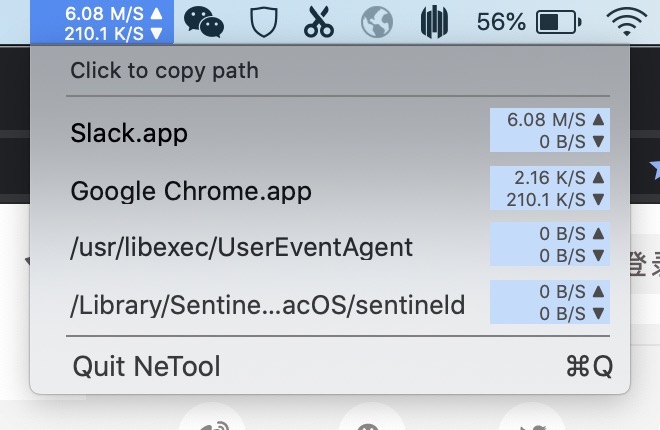 #### version 1.2:  #### 原理: 使用 macOS 中的 nettop 命令,即可查看当前时刻各进程已经 download 和 upload 的字节数,持续按时执行 nettop 命令然后求差,即可得知网速详情。 Use the nettop command of macOS, we can get the uploaded and downloaded bytes of each process. By continuously execute the nettop command, we can know the net speed of each process. ## 3. iad1tya/Net-Bar URL: https://github.com/iad1tya/Net-Bar # Repository: iad1tya/Net-Bar ... More than a network speed monitor - a lightweight, beautifully designed macOS menu bar app to track your network, battery, memory, storage, and processor performance in one place. ... - Stars: 300 - Forks: 15 - Watchers: 300 - Open issues: 3 - Primary language: Swift - Languages: Swift (89.0%), C++ (6.0%), Shell (3.0%), Objective-C++ (1.5%), Objective-C (0.5%) - Topics: battery, free, macos, memory, netspeed-monitor, processor, temprature, trafficmonitor - Default branch: main - Homepage: https://iad1tya.cyou/net-bar/ - Created: 2026-01-31T18:18:18Z - Last push: 2026-02-13T11:43:37Z - Contributors: 2 (top: iad1tya, nickesc) - Releases: 6 - Latest release: v1.6 (2026-02-13T11:43:37Z) ... > [!TIP] > This application is free and under active development. > Consider supporting via cryptocurrency or by buying me a coffee. > Details are at the bottom of this README. A lightweight, aesthetically pleasing system and network monitor for the macOS menu bar. Real-time Network Speeds • System Stats (CPU/RAM/Battery) • Detailed Diagnostics • Fully Customizable ## Overview ... **Net Bar** is your all-in-one menu bar dashboard. Beyond just tracking download and upload speeds, it now provides a comprehensive view of your Mac's health. Monitor **CPU usage, Memory pressure, Disk storage, Battery status, and Thermal state** at a glance. Access detailed diagnostics and customize the layout to fit your needs with a single click. ... - **Native Experience**: Built with SwiftUI and AppKit for a seamless, lightweight, and crash-free macOS experience. ... ## Star History ... [](https://www.star-history.com/#iad1tya/net-bar&type=timeline&logscale&legend=top-left) ## 4. exelban/stats URL: https://github.com/exelban/stats/ # exelban/stats ... macOS system monitor in your menu bar ... - Stars: 39757 - Forks: 1381 - Watchers: 39757 - Open issues: 17 - License: MIT License - Homepage: https://mac-stats.com - Default branch: master - Created: 2019-05-29T19:24:56Z ... - C - C++ - Makefile - Objective-C - Python - Shell - Swift ... - battery - bluetooth - clock - cpu - disk - fans - gpu - macos - menubar - monitor - network - sensors - stats - temperature ... macOS system monitor in your menu bar ... Stats is an application that allows you to monitor your macOS system. - CPU utilization - GPU utilization - Memory usage - Disk utilization - Network usage - Battery level - Fan's control (not maintained) - Sensors information (Temperature/Voltage/Power) - Bluetooth devices - Multiple time zone clock ## 5. fengerzh/network_speed_monitor_mac_native URL: https://github.com/fengerzh/network_speed_monitor_mac_native # Repository: fengerzh/network_speed_monitor_mac_native ... - Stars: 5 - Forks: 0 - Watchers: 5 - Open issues: 2 - Primary language: Swift - Languages: Swift (99.1%), Shell (0.9%) - Default branch: main - Created: 2025-05-22T05:23:26Z - Last push: 2026-03-26T18:40:15Z - Contributors: 2 (top: fengerzh, renovate[bot]) - Releases: 3 - Latest release: v1.1.0 (2025-06-23T03:59:02Z) ... NetworkSpeedMonitor ... 一个简洁美观的 macOS 菜单栏网络、CPU、内存、电池电量监控工具,支持窗口穿透、咖啡防睡眠、全局快捷键和完整的偏好设置系统。 ... - **网络速度**:实时显示下载/上传速度,格式为"⬇️12.3M/2.1M⬆️",单位自动优化显示 - **CPU使用率**:全系统CPU占用率监控,采用差分算法,动态刷新 - **内存使用**:显示已用物理内存,单位自动调整(GB/MB) - **电池电量**:实时显示电池电量百分比(无电池设备显示"--") - **时间显示**:本地时间(时:分),与咖啡模式图标居中显示 - **网络自动切换** ... 线网络连接 ... 开关(v1 ... 2.0 新增) ... - **简洁美观**:纵向排列,深色高透明圆角背景 - **可拖动**:窗口支持拖拽移动,自动记住位置 - **菜单栏集成**:原生菜单栏图标,支持深色模式 - **响应式**:所有监控指标单位美化,数值与单位分字号显示 ... - **语言**:Swift 5.9+ - **框架**:Cocoa, AppKit - **架构**:MVVM + Coordinator - **测试**:XCTest (69个测试用例) - **依赖管理**:Swift Package Manager - **最低系统要求**:macOS 14.0+ ... - **软件名称**:NetworkSpeedMonitor - **当前版本**:v1.1.0 - **作者**:zhangjing - **开源协议**:MIT License - **项目地址**:[GitHub](https://github.com/fengerzh/network_speed_monitor_mac_native)
The clear winner by far is exelban/stats with 39,757 stars. It's the most popular macOS system monitor in the menu bar, including network usage. Let me give the user the best option.
The clear winner is exelban/stats — by a huge margin.
macOS system monitor in your menu bar
It's the de-facto standard. While it's a full system monitor, network is one of its built-in sensors, alongside CPU, GPU, memory, disk, battery, fans, sensors, bluetooth, and clocks.
Network features:
Why it's the best:
brew install --cask statsIf you want something network-only (not a full system monitor), the best dedicated options are:
| Repo | Stars | Notes |
|---|---|---|
| rana-gmbh/NetFluss | 374 | Native, router-aware (Fritz!Box/UniFi/OpenWRT/OPNsense), per-app bandwidth, speed test, historical stats |
| iad1tya/Net-Bar | 300 | Network + CPU/RAM/battery, nicely designed, SwiftUI/AppKit |
| Tao93/NetTool | 111 | Minimal — just live up/down speed in the bar (last updated 2021) |
My recommendation: just install stats — it does network well and you get everything else for free.
brew install --cask stats
install it
{
  "command": "brew install --cask stats",
  "timeout": 180000
}==> Auto-updating Homebrew... Adjust how often this is run with `$HOMEBREW_AUTO_UPDATE_SECS` or disable with `$HOMEBREW_NO_AUTO_UPDATE=1`. Hide these hints with `$HOMEBREW_NO_ENV_HINTS=1` (see `man brew`). === Stopped waiting for output after 5.7 seconds. Command running in background with ID: 63c82b. Run get_output with timeout if you need to wait.
{
  "shell_id": "63c82b",
  "timeout": 120000
}==> Auto-updating Homebrew... Adjust how often this is run with `$HOMEBREW_AUTO_UPDATE_SECS` or disable with `$HOMEBREW_NO_AUTO_UPDATE=1`. Hide these hints with `$HOMEBREW_NO_ENV_HINTS=1` (see `man brew`). ==> Auto-updated Homebrew! Updated 1 tap (steipete/tap). You have 43 outdated formulae and 1 outdated cask installed. Warning: Skipping antoniorodr/memo because it is not trusted. Run `brew trust antoniorodr/memo` to trust it. Warning: Skipping pszypowicz/tap because it is not trusted. Run `brew trust pszypowicz/tap` to trust it. Warning: Skipping steipete/tap because it is not trusted. Run `brew trust steipete/tap` to trust it. Warning: Skipping pszypowicz/tap because it is not trusted. Run `brew trust pszypowicz/tap` to trust it. Warning: Skipping steipete/tap because it is not trusted. Run `brew trust steipete/tap` to trust it. ==> Would install 1 cask: stats Warning: The following taps are not trusted: antoniorodr/memo steipete/tap Homebrew is currently ignoring formulae, casks and commands from these taps because tap trust is required. Trust specific formulae, casks or commands with: brew trust --formula <user>/<tap>/<formula> brew trust --cask <user>/<tap>/<cask> brew trust --command <user>/<tap>/<command> or trust installed formulae from these taps with: brew trust --formula steipete/tap/remindctl brew trust --formula antoniorodr/memo/memo You can trust all formulae, casks and commands from these taps with: brew trust antoniorodr/memo steipete/tap Prefer trusting only the specific formulae, casks or commands you need. Untap them with: brew untap antoniorodr/memo steipete/tap To disable trust checks: export HOMEBREW_NO_REQUIRE_TAP_TRUST=1 This is not recommended and will be removed in a later release. ==> Fetching downloads for: stats ✔︎ Cask stats (3.0.3) ==> Installing Cask stats ==> Moving App 'Stats.app' to '/Applications/Stats.app' 🍺 stats was successfully installed! Exit code: 0
Installed. Stats 3.0.3 is now in /Applications/Stats.app.
{
  "command": "open -a Stats"
}Output from command in shell 144543: Exit code: 0
Done — Stats is installed and launched. You should see its icon in your menu bar now. Click it to enable the Network widget (and any others you want) from the settings.